Cloud admin panel
Run a curl-runner Cloud server from its admin panel: users, plan overrides, link takedowns, broadcasts, Stripe, health, settings and the activity log.
The admin panel is where you run a curl-runner Cloud server. It lives at /admin on your dashboard. Owners and admins see it. Everyone else gets a plain 404, as if the page didn't exist.
See Cloud for what teams and collections are, and Self-hosting to set up your first owner.
Every change is logged
Each write in the panel adds a line to the activity log, with who did it and when.
Overview
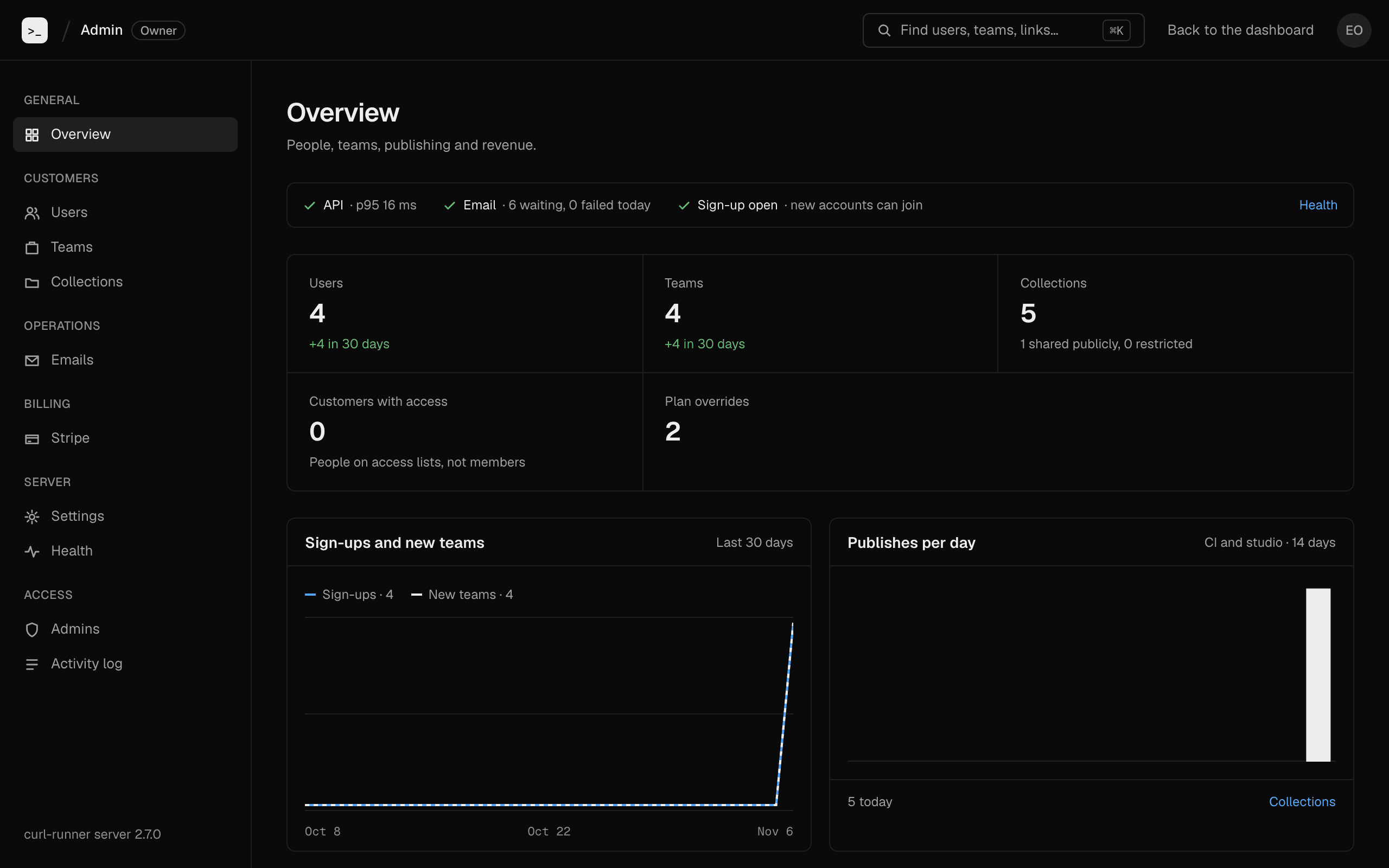
The overview shows how the server is doing: sign-ups and new teams over 30 days, publishes per day, collections, plan overrides, and a status strip for the API, email and sign-up.
Users
Users lists everyone on the server. Search, then open a person to act on their account.
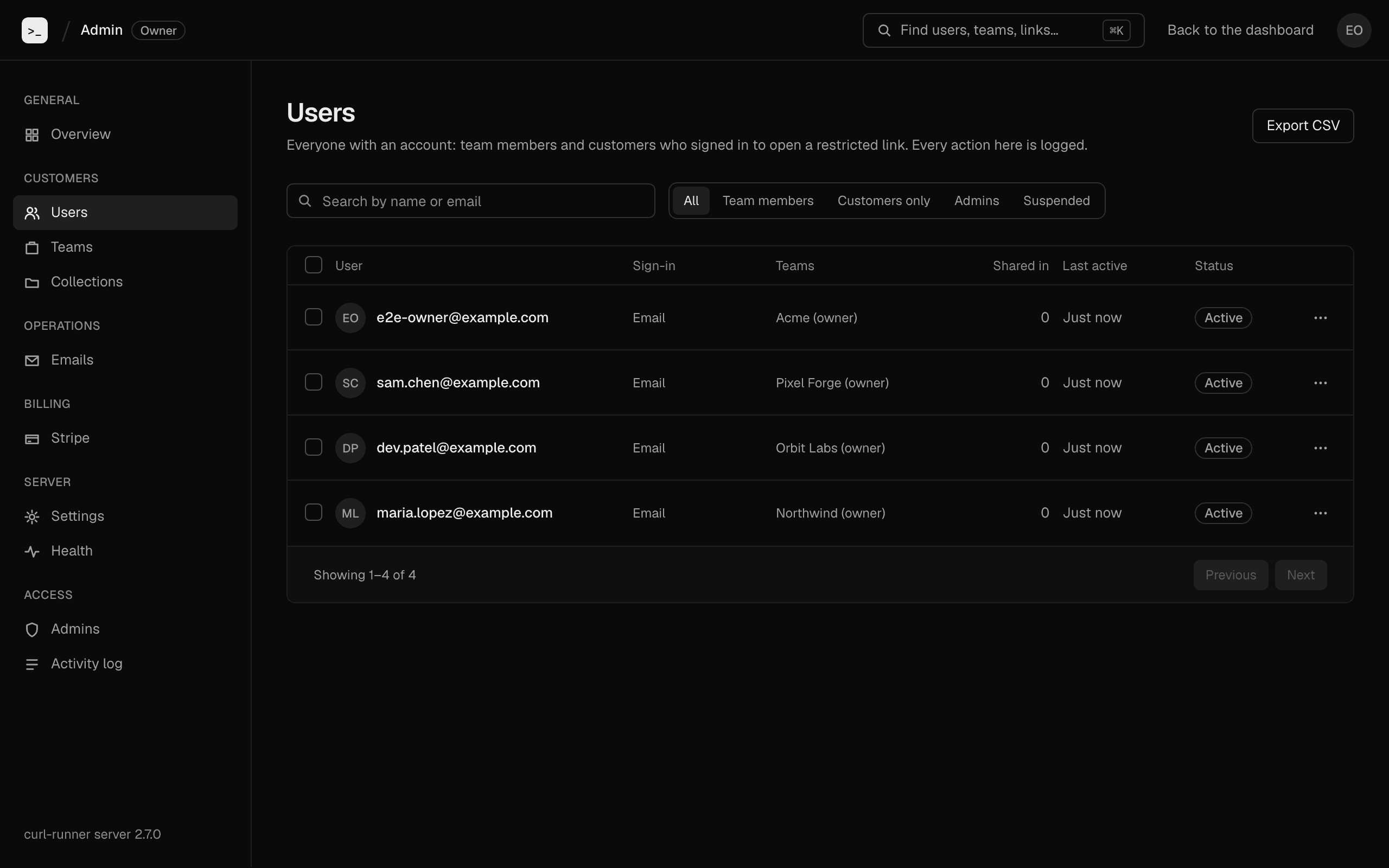
- Suspend stops a person signing in and deletes their sessions. They see "This account is suspended. Contact support." Publish tokens they created keep working, so CI doesn't break.
- Sign out everywhere deletes the person's sessions. They can sign in again.
- Delete removes the account.
You can't delete the sole owner of a team. The panel names the team. Make someone else an owner, or delete the team first.
Teams and plan overrides
Teams lists every team with its plan and where the plan comes from. Open a team to see its members, collections and plan history.
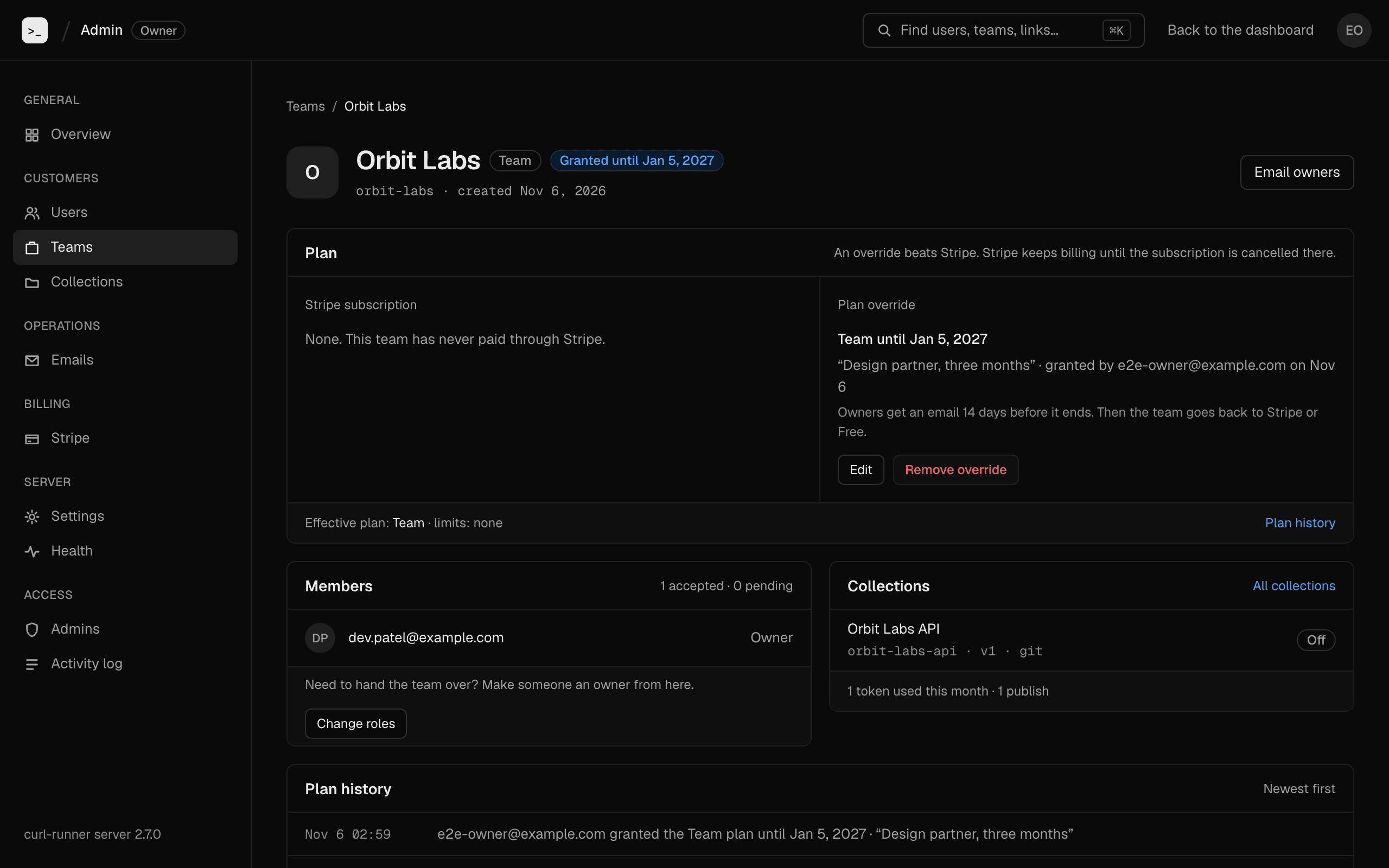
A plan override gives a team a plan without Stripe. Use it for a trial, a partner or a fix.
- An override beats Stripe. While it's in force, the team has the plan you set.
- Stripe keeps billing. An override doesn't cancel a subscription, and the panel warns you when the team pays. Cancel it in Stripe if the grant replaces it.
- An override ends at a date you pick, or never.
- Owners get an email 14 days before it ends, once.
- At the end, the team falls back to its Stripe plan, or to the plan stored on the team if it has no subscription.
- Remove override ends it at once. Owners aren't emailed.
Every grant and removal goes in the team's plan history.
You can also suspend a team. Publishing to it gives 403 team_suspended, its share links stop working, and its members see a notice. Nothing is deleted.
Collections and link takedown
Collections lists every collection on the server, with its team, access, versions and size.
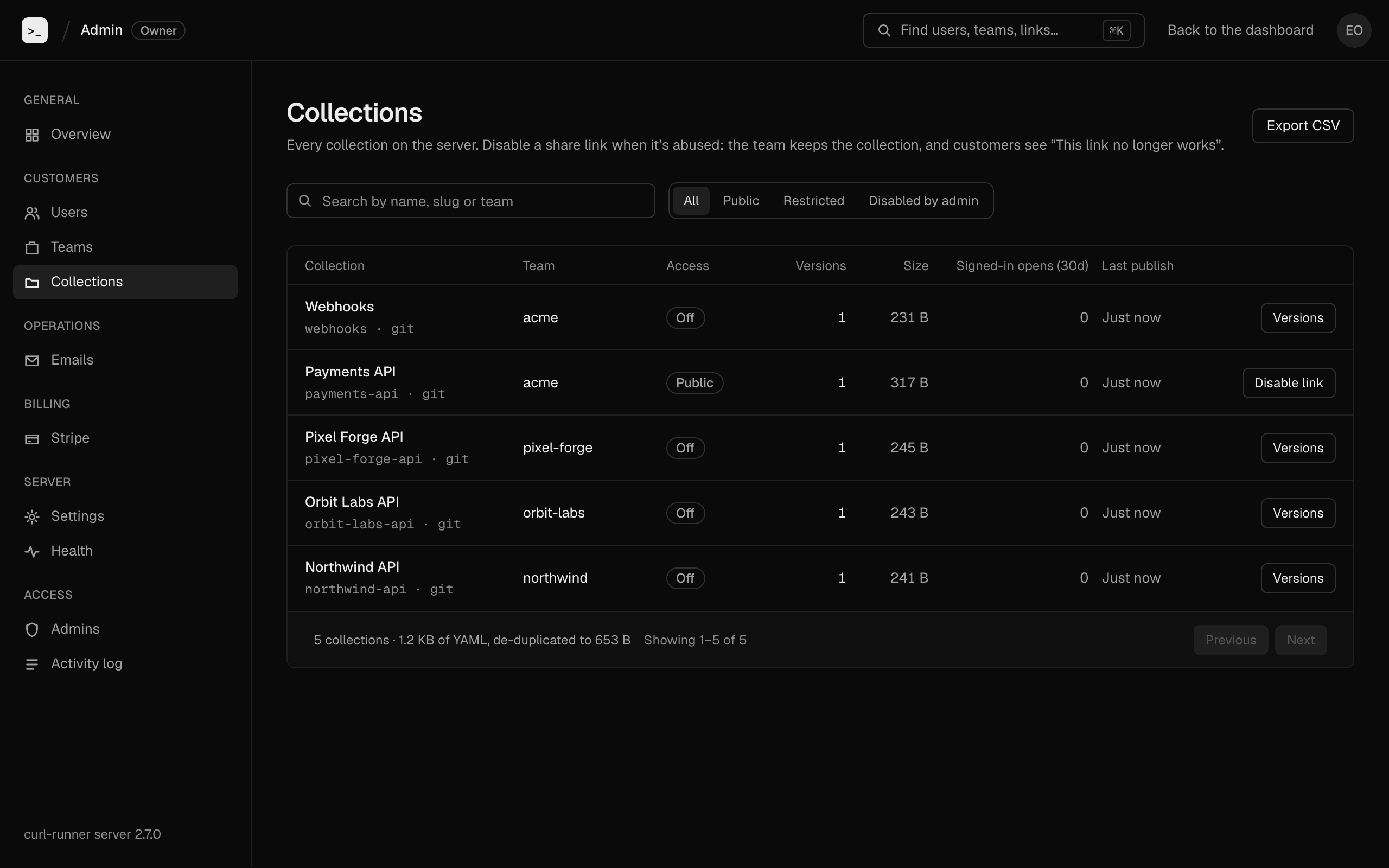
Disable a share link when someone abuses it. You give a reason, and the team's owners get it by email.
- The link gives 404, and the landing page says "This link no longer works".
- The team keeps the collection and its versions.
- The team can't turn the link back on. A reset gives
403 link_disabled. - Enable link undoes it.
The Signed-in opens (30d) column counts opens by signed-in people only. A person who opens a Public link without signing in isn't counted.
Emails
Emails has two tabs: broadcasts and the delivery log.
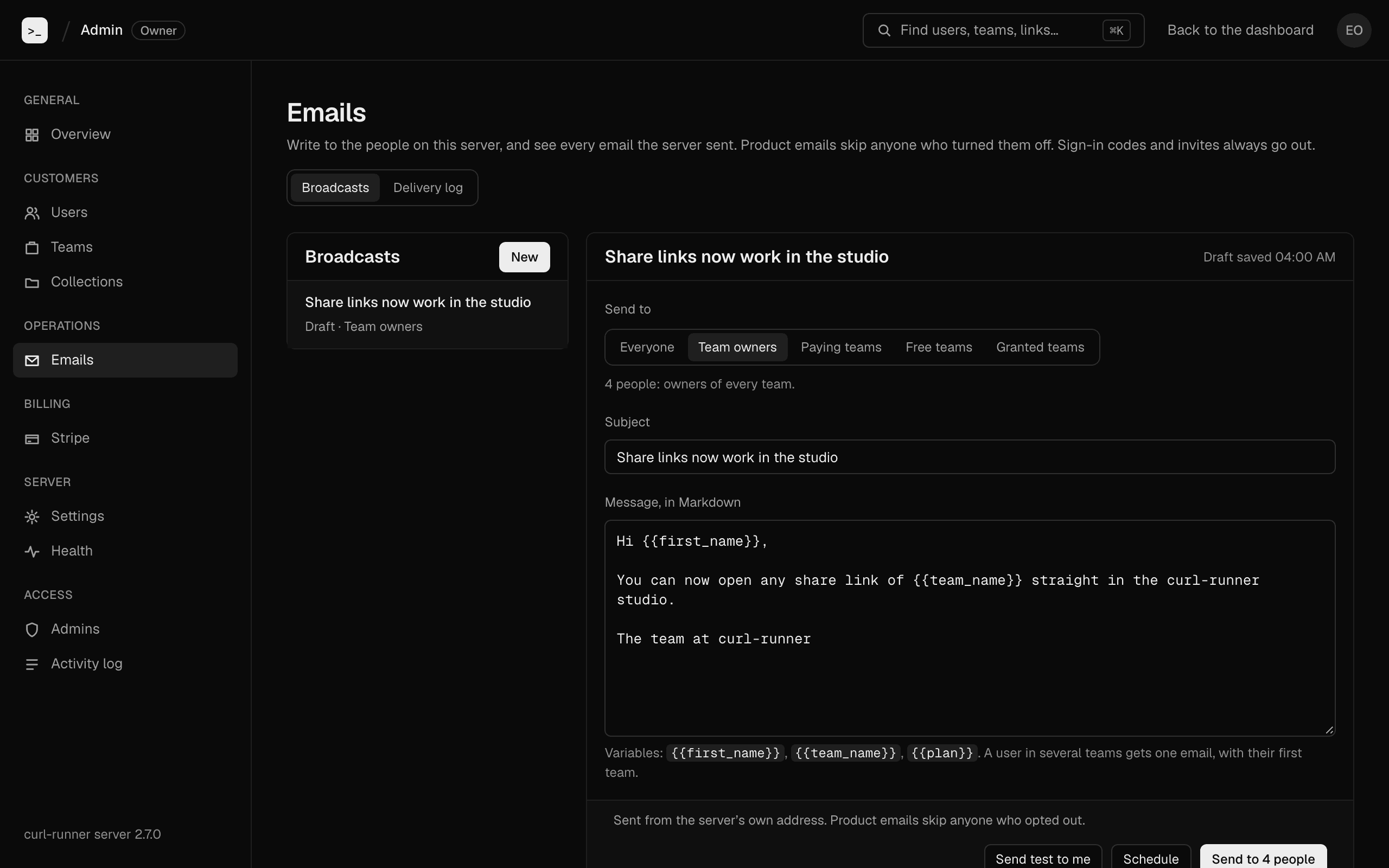
A broadcast is a product email to many people. Write it in Markdown. {{first_name}}, {{team_name}} and {{plan}} are filled in per person. Someone in several teams gets one email, with their first team.
Pick an audience:
| Audience | Who gets it |
|---|---|
| Everyone | Every user. |
| Team owners | Owners of any team. |
| Paying teams | Owners of teams that pay through Stripe. |
| Free teams | Owners of teams on the Free plan. |
| Granted teams | Owners of teams with a plan override. |
Use Send test to me first. Send queues one email per person through the outbox, so a restart mid-send doesn't send anyone twice. You can also schedule a send.
Each broadcast has a one-click unsubscribe link. It opens a page that asks for confirmation, so a mail scanner that follows the link can't opt anyone out. People who opt out get no more product emails. Sign-in codes and invites always go out.
The Delivery log lists every email the server sent, with its status. Subjects of sign-in emails are masked, so the code never shows.
Stripe
Stripe shows revenue and billing events when billing is on. It has monthly recurring revenue (MRR), a 90-day chart, how teams get the Team plan, and recent subscription events.
- MRR is seats times the price. An annual price counts as a twelfth.
- Teams with an override are counted apart. They aren't revenue.
- Without billing, the page tells you billing is off.
Health
Health shows API p95 latency over the last 5 minutes, email waiting and failed, Stripe webhooks over 24 hours, when each background job last ran, and rate limits hit in the last hour.
These numbers live in the server's memory. They reset when it restarts.
Settings
Settings holds what used to live in the environment.
- Who can create a team: open, allowed domains, or closed.
- The plan for new teams, the member limit and restricted sharing on Free, and the grace period after a failed payment.
- The banner.
- Pause publishing.
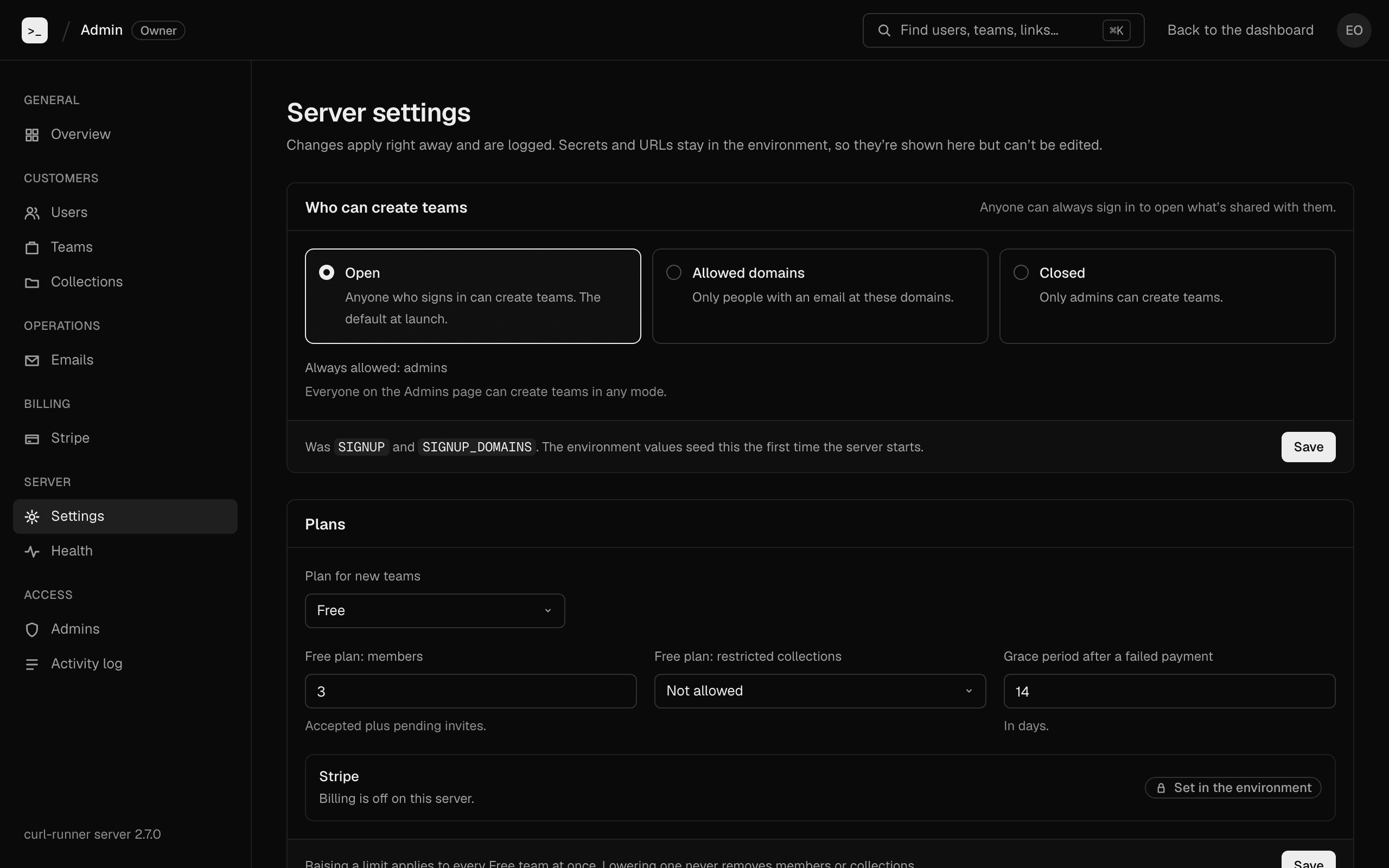
Lowering a limit never removes anyone. Only new invites are refused.
A payment-failed email states the deadline using the grace period in force when it was sent. Changing the grace period later doesn't change emails already sent.
The page also lists the environment variables the server reads. It shows names, and values only for URLs, mail host and port, and price IDs. Secrets never show.
Admins and permissions
There are two roles.
- Owners come from
OPERATOR_EMAILS, plus the first account on a server with an empty sign-up list. They have every permission, and you can't remove them in the panel. - Admins you add in Admins. Each gets the permissions you pick.
| Permission | What it allows |
|---|---|
| Users | Sign people out, suspend and delete accounts. |
| Teams | Suspend teams, change member roles, disable share links. |
| Plans | Grant and remove plan overrides, sync Stripe and resend invoices. |
| Emails | Send broadcasts and email team owners. |
| Settings | Change sign-up, plan limits, the banner and pausing. |
| Admins | Add admins and change permissions. |
In the API, the Plans permission is called billing.
Every admin can read every page, including the activity log. Without a permission, the buttons are off and the server answers 403.
Activity log
Activity log lists every change made in the panel: the admin, the action, what it touched and when. Filter it by admin, action or period, or export it as CSV.
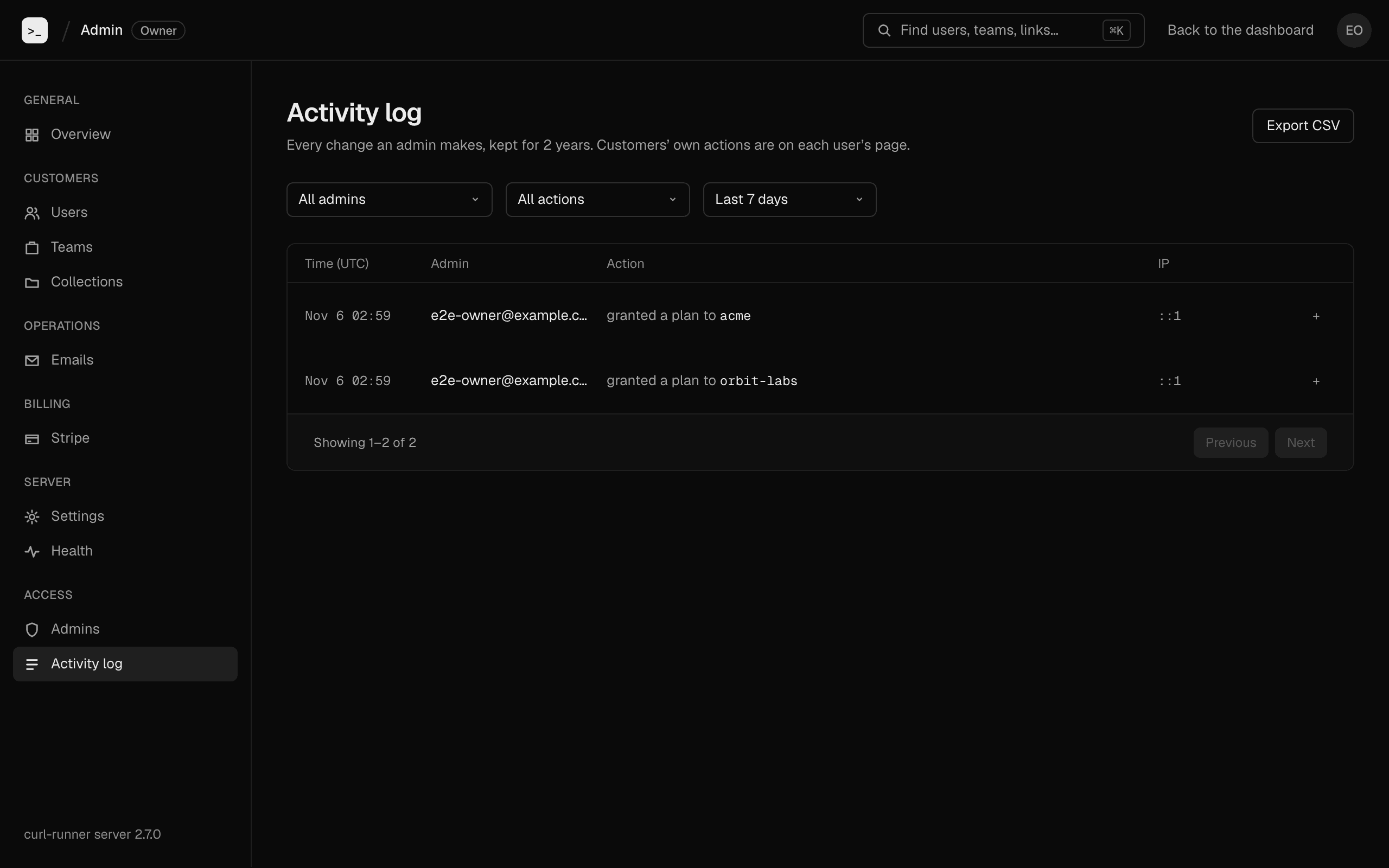
The server keeps entries for 2 years, then deletes them.
Cloud
Publish a curl-runner collection to curl-runner Cloud from CI, share it with a link, and pull a shared collection to your machine. Private preview.
Studio (preview)
curl-runner studio is a macOS app for your YAML request files: live validation, runs, checks, retries, environments and history. Download the dmg.