Studio (preview)
curl-runner studio is a macOS app for your YAML request files: live validation, runs, checks, retries, environments and history. A preview, built from source.
Feature overview →curl-runner studio is a macOS desktop app for the request files you already have. It opens a folder of YAML as a collection, validates as you type, runs one request or the whole collection, and shows every check, retry and timing.
Preview
The studio shipped as a preview in curl-runner 2.2.0. It isn't distributed yet: there is no signed build, Homebrew formula or download. Build it from source as shown below. Expect rough edges, and changes before a first release.
Build from source
You need macOS and a Rust toolchain from rustup. The repository pins the Rust version, so rustup installs the right one on the first build.
git clone https://github.com/alexvcasillas/curl-runner
cd curl-runner
cargo run -p curl-runner-studio
The first build compiles the whole app and takes a while; later runs start straight away.
Collections are folders
A collection is a folder of request files, and its subfolders are the groups in the sidebar. The studio reads and writes plain YAML, so the files stay the ones curl-runner runs in a terminal or in CI.
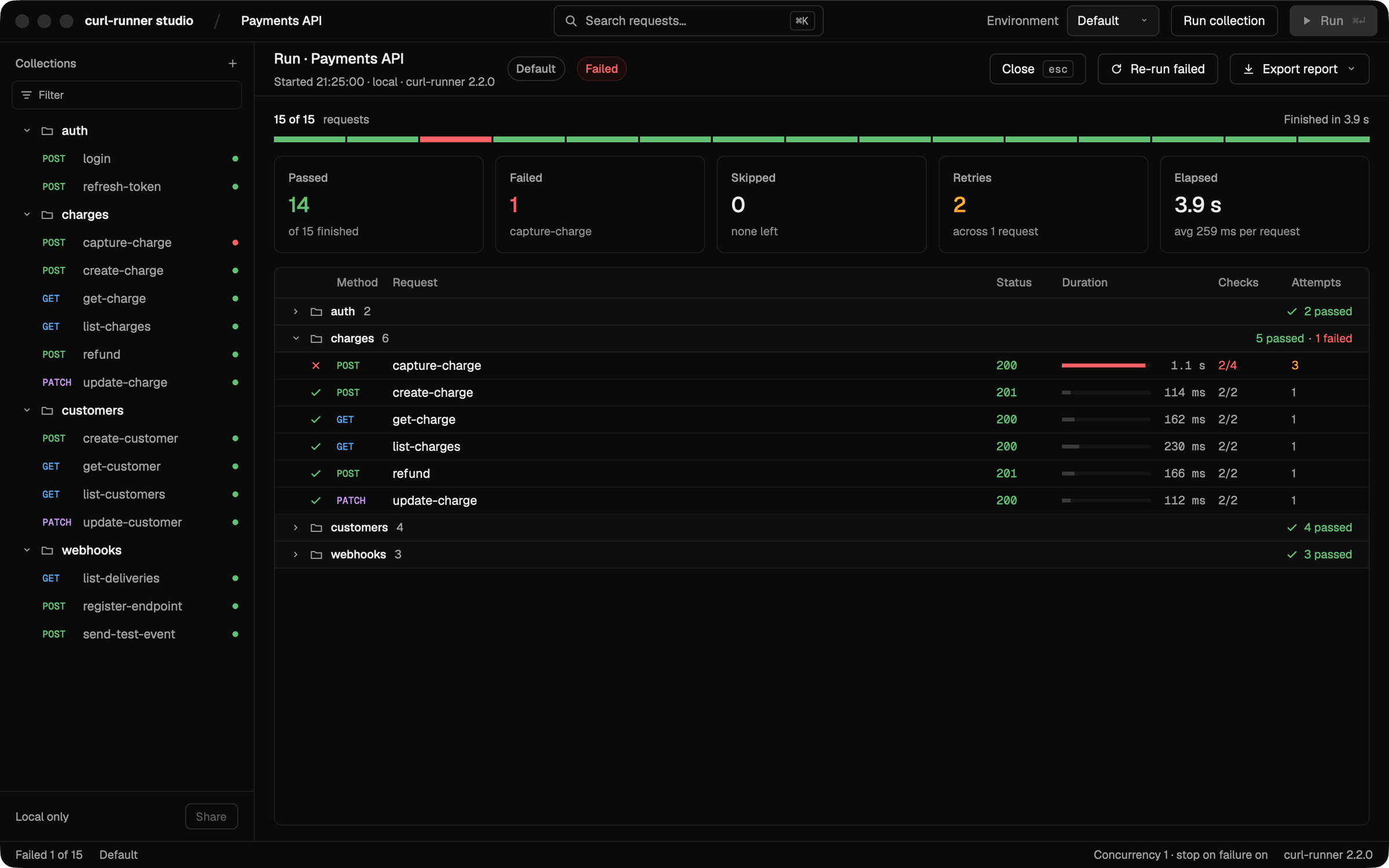
Run a single request, or the whole collection from Run collection. The run screen counts passed, failed, skipped and retried requests, and Re-run failed runs only the failures again.
Live validation
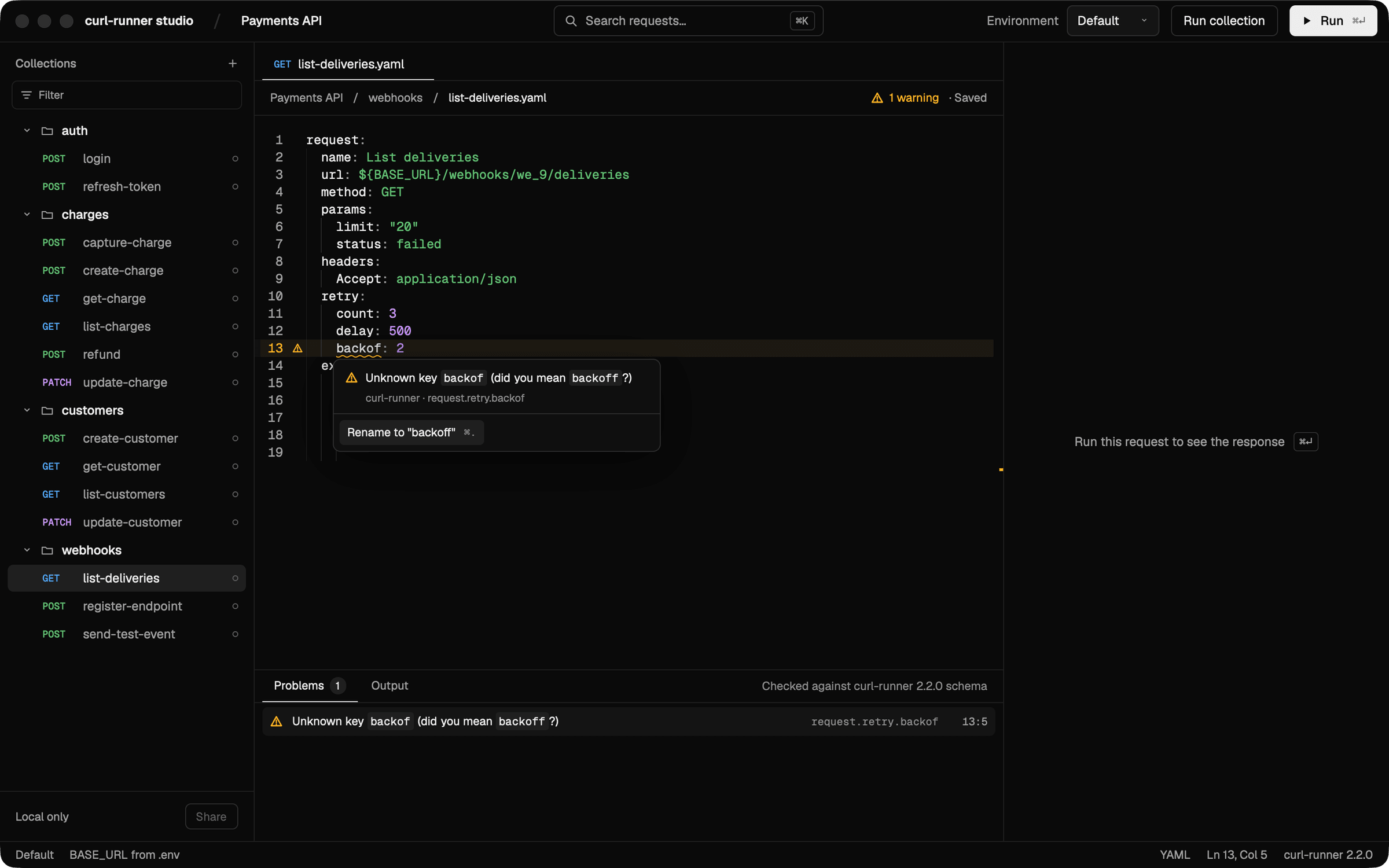
The editor runs the same rules as curl-runner validate while you type. Problems are underlined and listed in the Problems panel, and many of them come with a quick fix.
Responses and checks
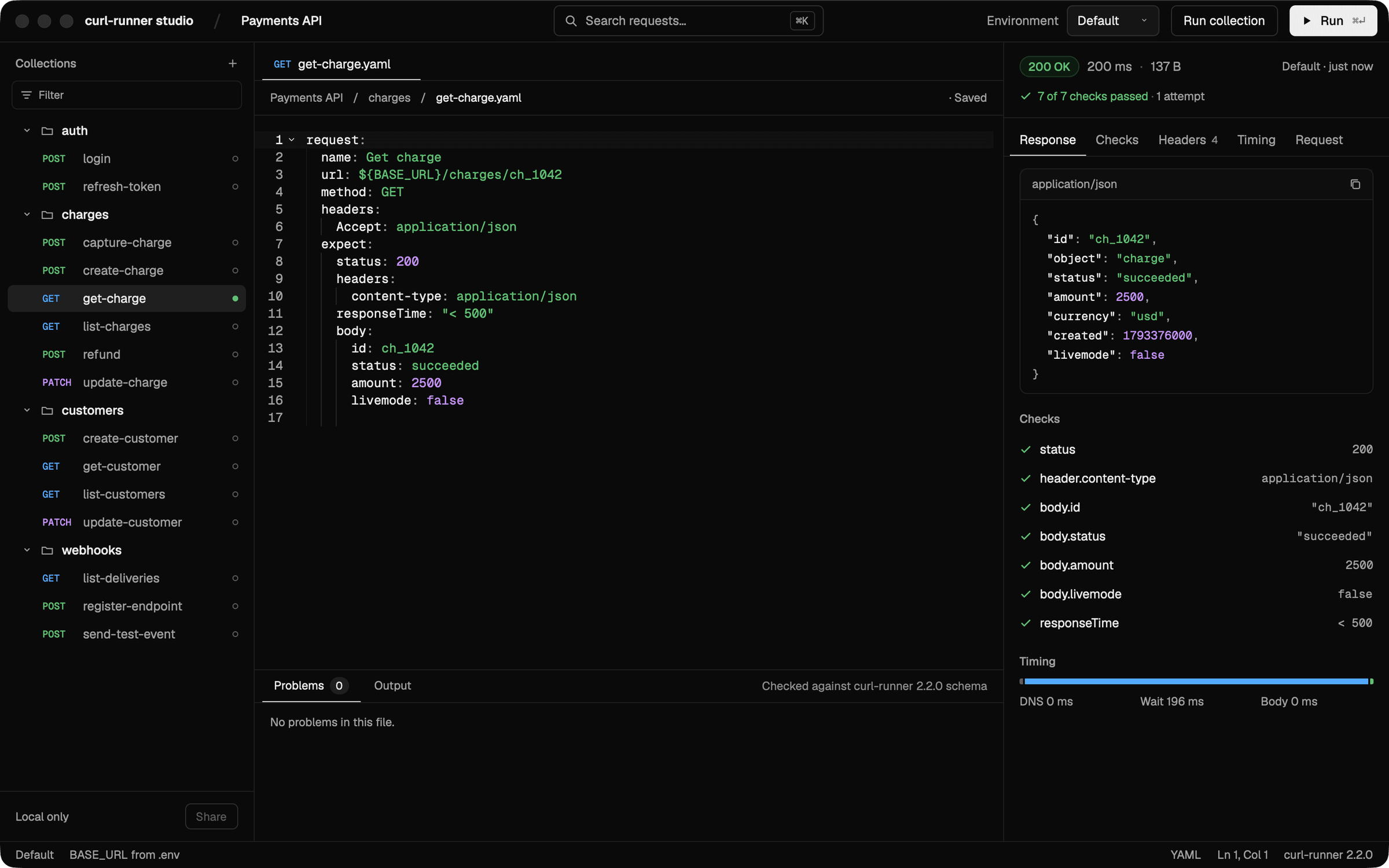
The inspector next to the editor shows the last response: body, headers and timing, and each check from the request's expect block.
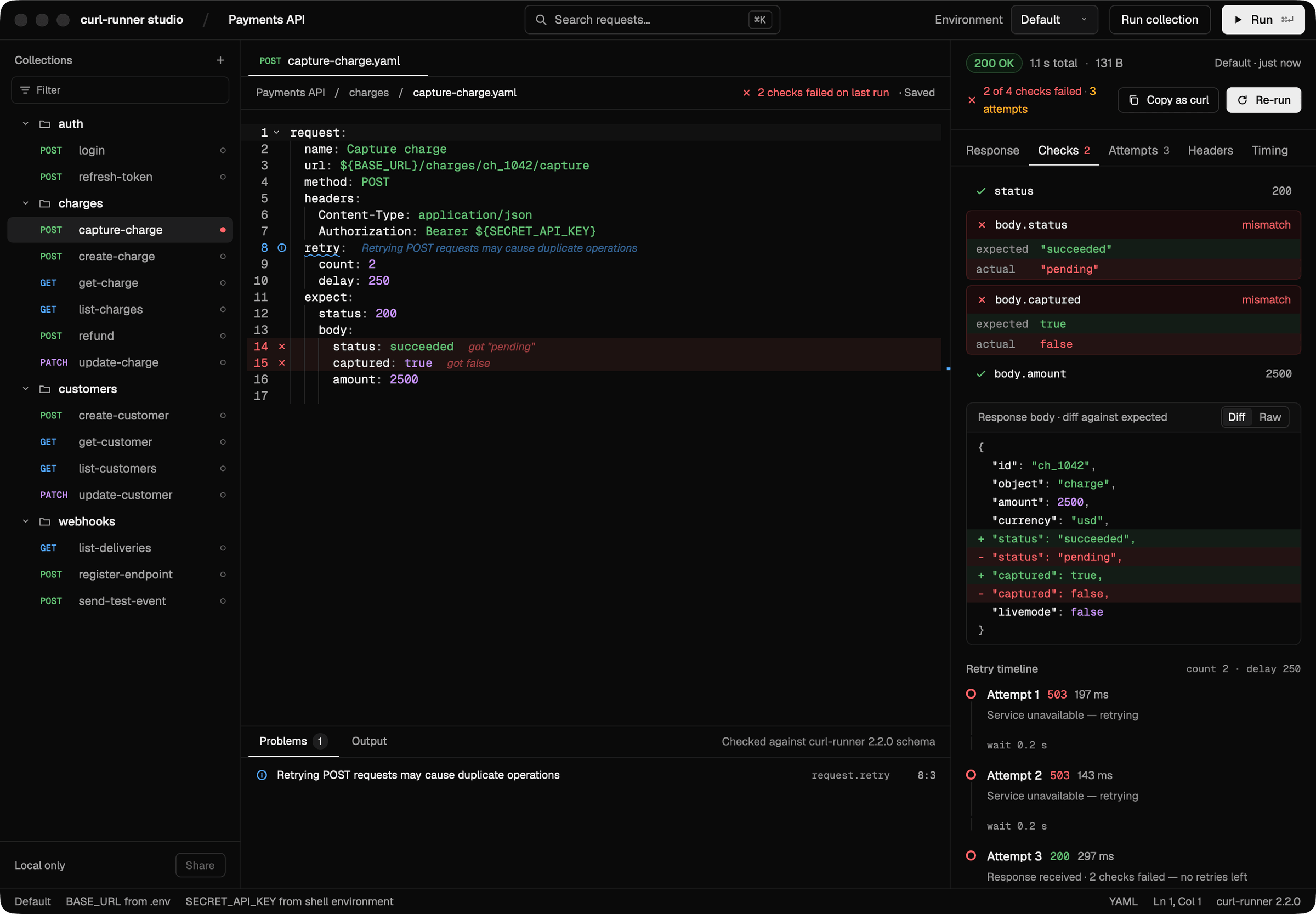
When a check fails, the Checks tab shows the expected and the actual value, a diff of the response body against what was expected, and the retry timeline with every attempt.
Environments and secrets
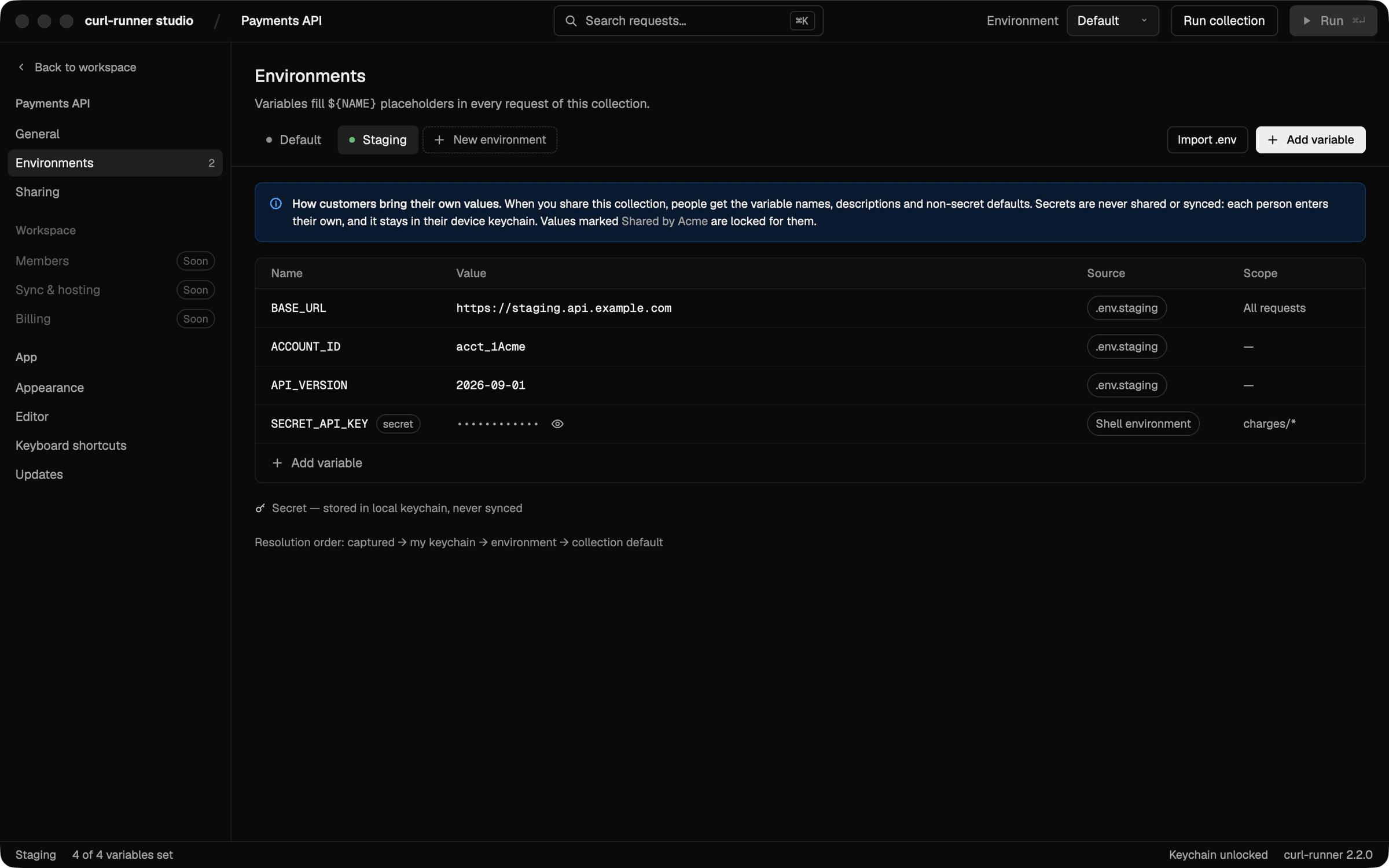
Environments come from the collection's .env files: Default reads .env, and an environment such as Staging reads .env.staging on top of it. Variables named SECRET_*, and any you mark as secret, are masked. The values you enter in the studio go to the macOS Keychain rather than the files, and secrets are never shared or synced.
Run history
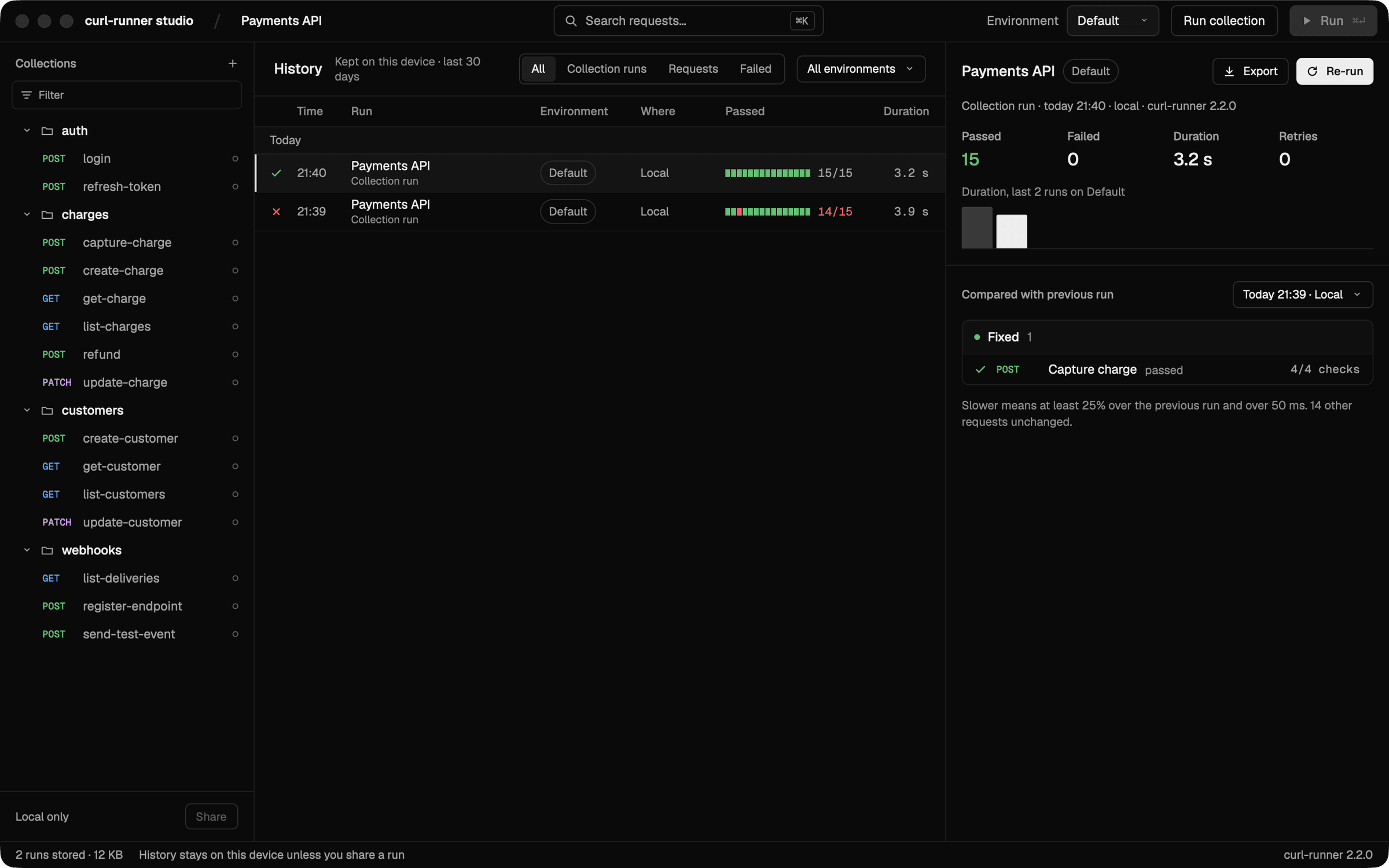
Runs are kept on your machine for 30 days. Pick one to compare it with the run before it: which requests it fixed, which it broke and which got slower.
Sharing and sync
The studio has sharing and sync screens, but in this preview they run against a built-in mock server: nothing you do there leaves your machine.
Environment Files & Secret Redaction
Load variables from .env files in curl-runner, with environment-specific overrides, a clear precedence order and automatic secret redaction in output.
CLI Commands
Complete command-line interface reference for curl-runner with all available commands, options, and usage examples.