Studio · Preview
Edit, run and debug suites in a native app.
A macOS app for the request files you already have. Edit YAML with live validation, run one request or a whole collection, and read every check, retry and timing.
Screenshots
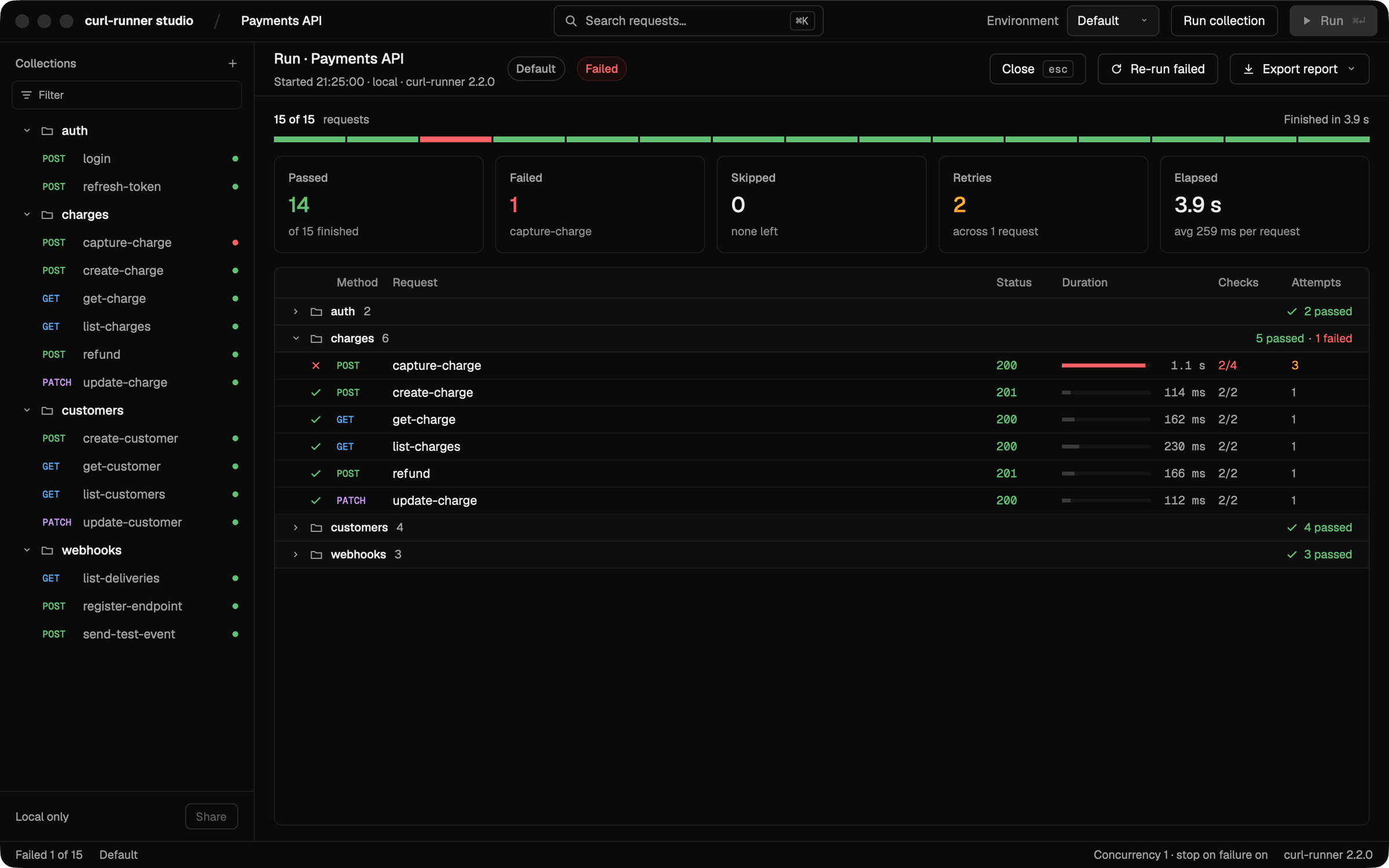
Run a whole collectionEvery request in the folder, grouped as on disk, with passed, failed and retried counts and a duration bar per request. Re-run only the failures, or export the report. 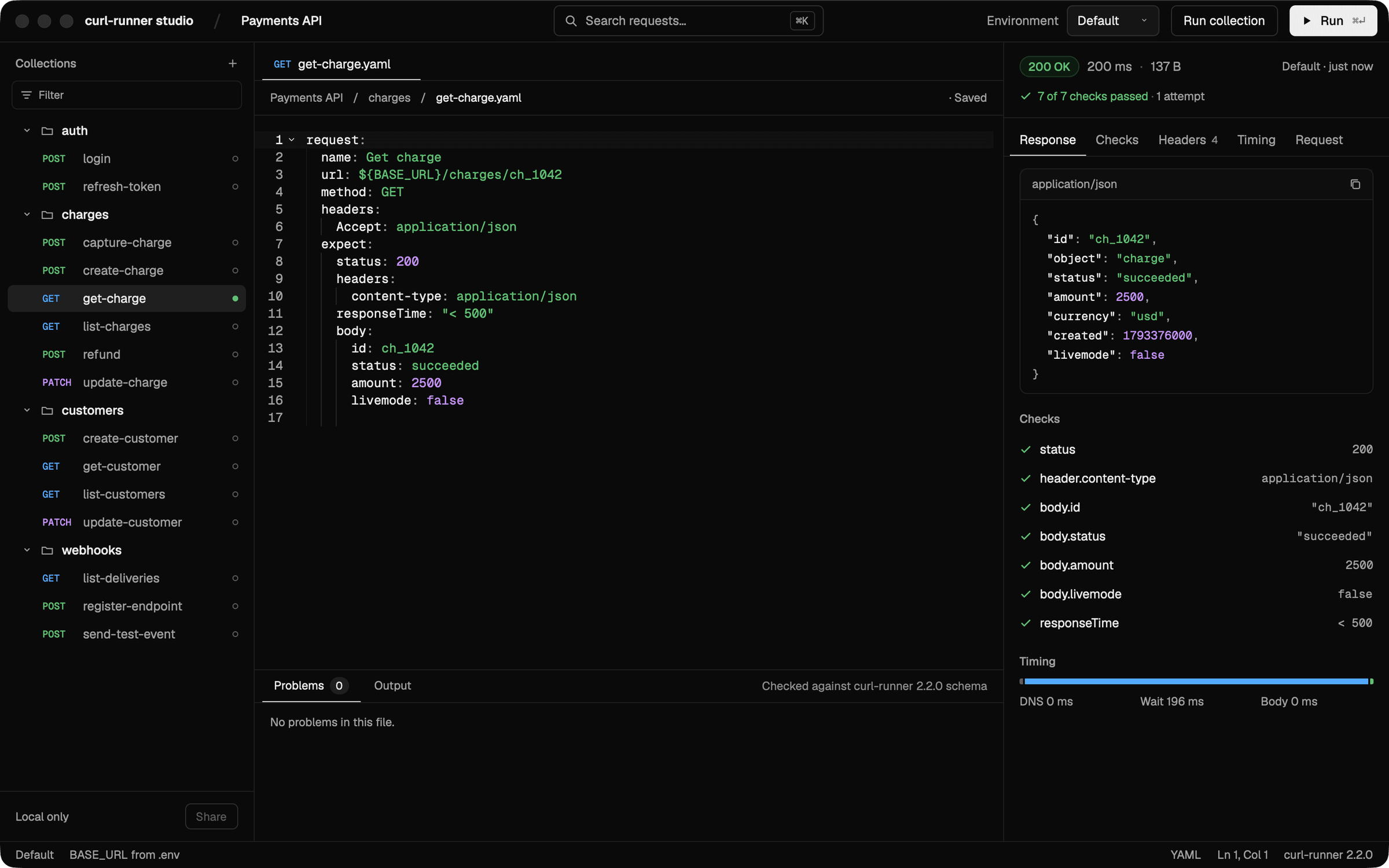
Read the responseThe body, headers and timing of the last run, and each check from the expect block next to the YAML that asked for it. 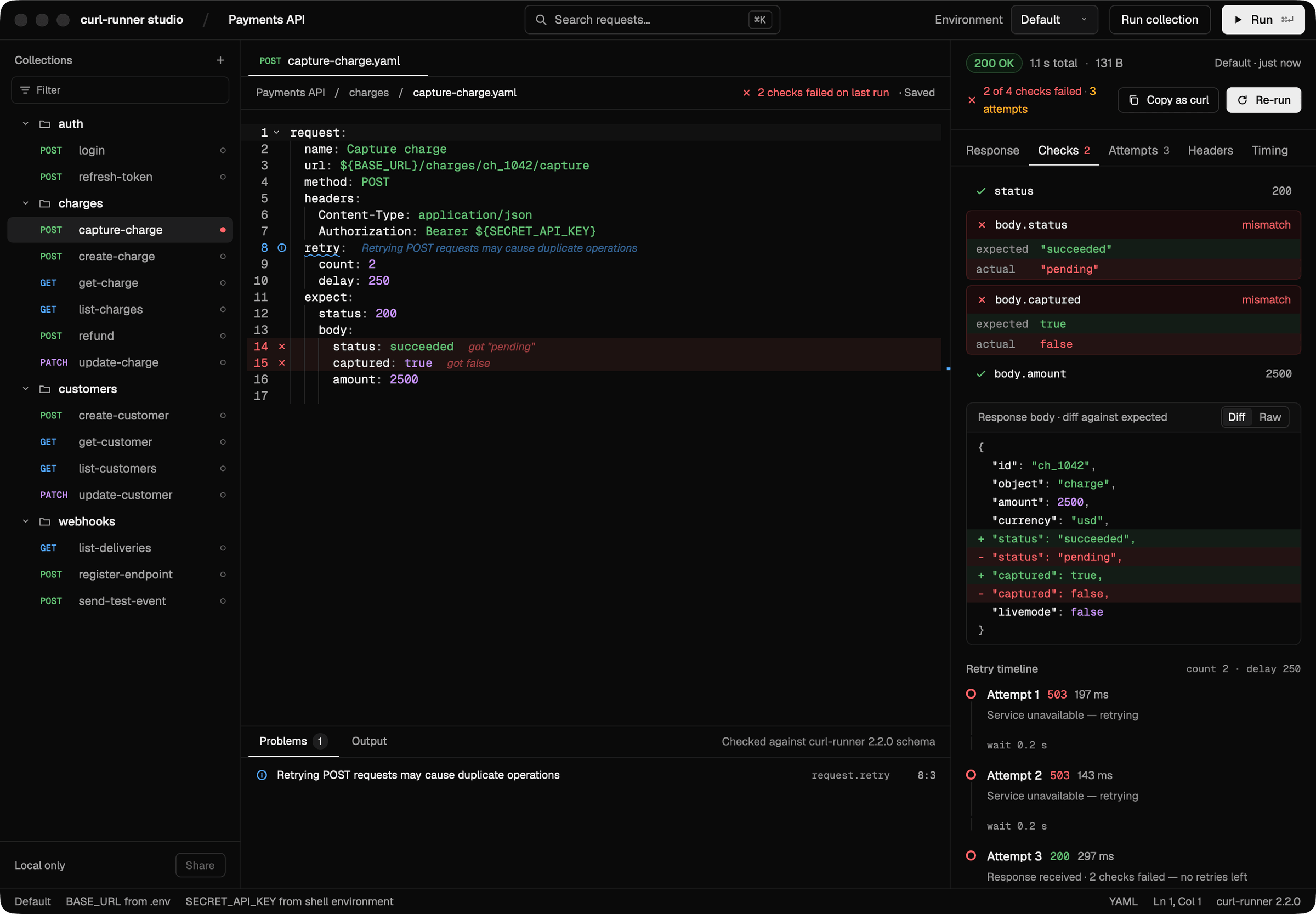
See why a check failedExpected against actual for each failed check, a diff of the response body, and every retry attempt with its status, duration and wait. 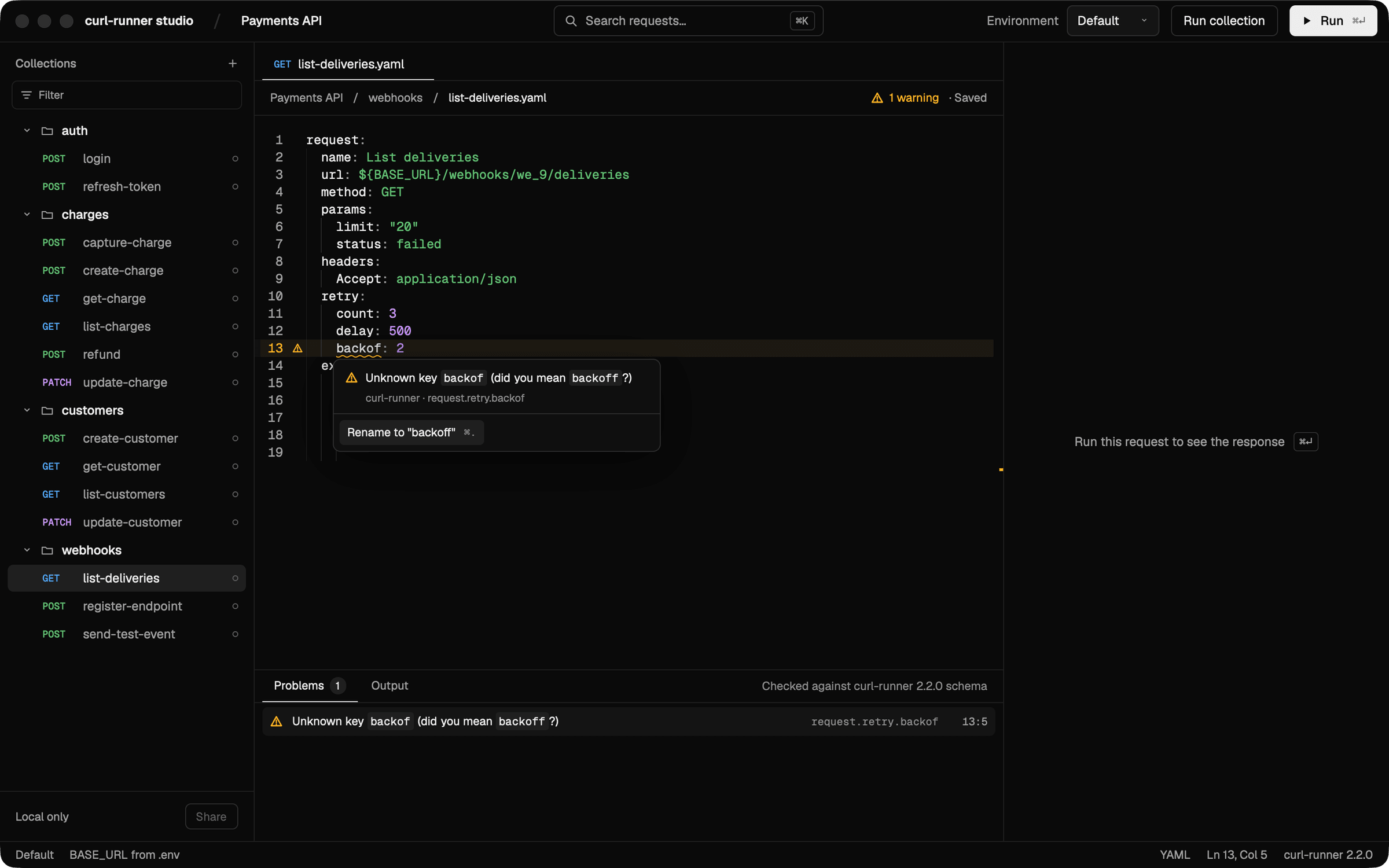
Catch mistakes as you typeEverything curl-runner validate looks for is checked in the editor: problems are underlined as you type, and many come with a one-key quick fix. 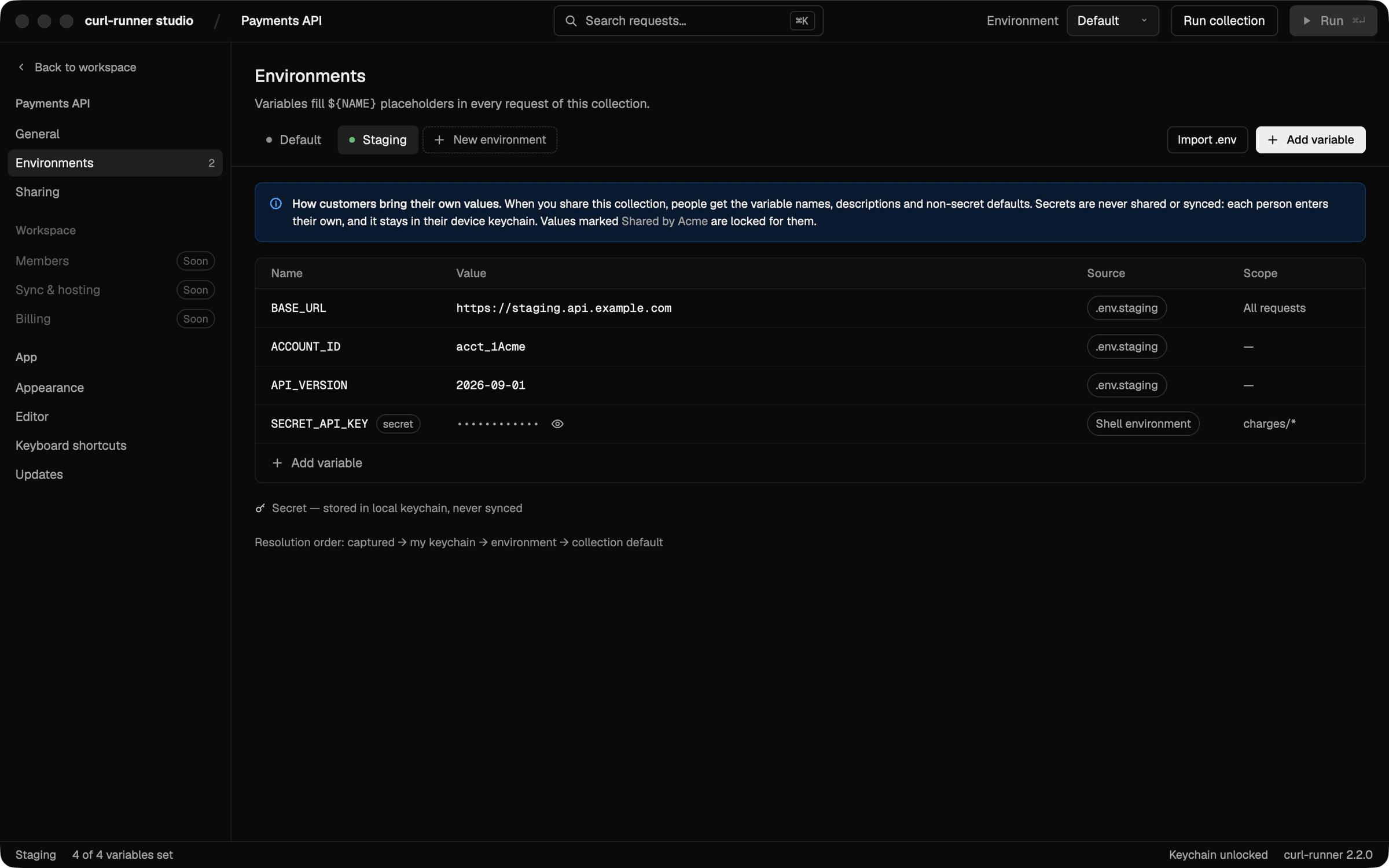
Environments from your .env filesEach environment is a .env file in the collection. SECRET_ values stay masked, and the ones you enter in the studio are kept in the macOS Keychain, not in the file. 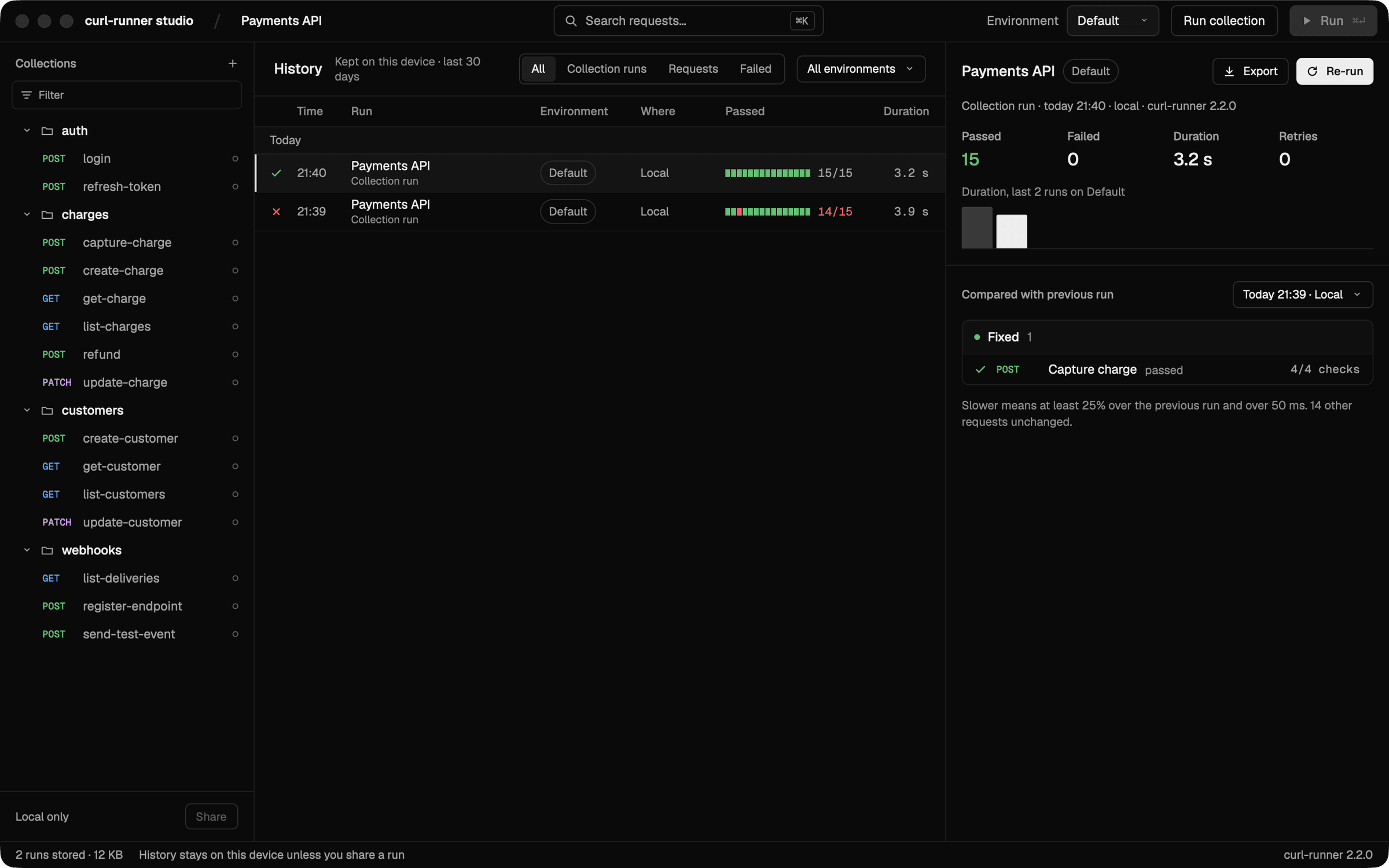
Compare with the last runRun history stays on your machine. Pick a run to see what it fixed, what it broke and what got slower than the run before it.
Plain YAML underneath
The studio reads and writes the same request files the CLI runs, so a suite you build here runs unchanged in CI.
charges/capture-charge.yaml
request:
  name: Capture charge
  url: ${BASE_URL}/charges/ch_1042/capture
  method: POST
  headers:
    Authorization: Bearer ${SECRET_API_KEY}
  retry:
    count: 2
    delay: 250
  expect:
    status: 200
    body:
      status: succeeded
      captured: true
Benefits
The files you already have
Open a folder of YAML and it becomes a collection. The studio saves plain YAML back, so the CLI and CI run the same files.
Failures you can read
Expected against actual for every check, a diff of the body and each retry attempt, next to the line that asked for it.
Local by default
Run history stays on your machine, environments come from your .env files and secrets live in the macOS Keychain.
Good for
- Writing a new suite with validation as you type
- Debugging a failing check against a real response
- Comparing a run with the one before it
- Switching between local and staging environments