OpenAPI Import
Turn an OpenAPI spec into runnable YAML files.
Turn an OpenAPI or Swagger spec into curl-runner YAML with one command or in the studio. One file per operation, a .env, and auth credentials stay out of files.
Screenshots
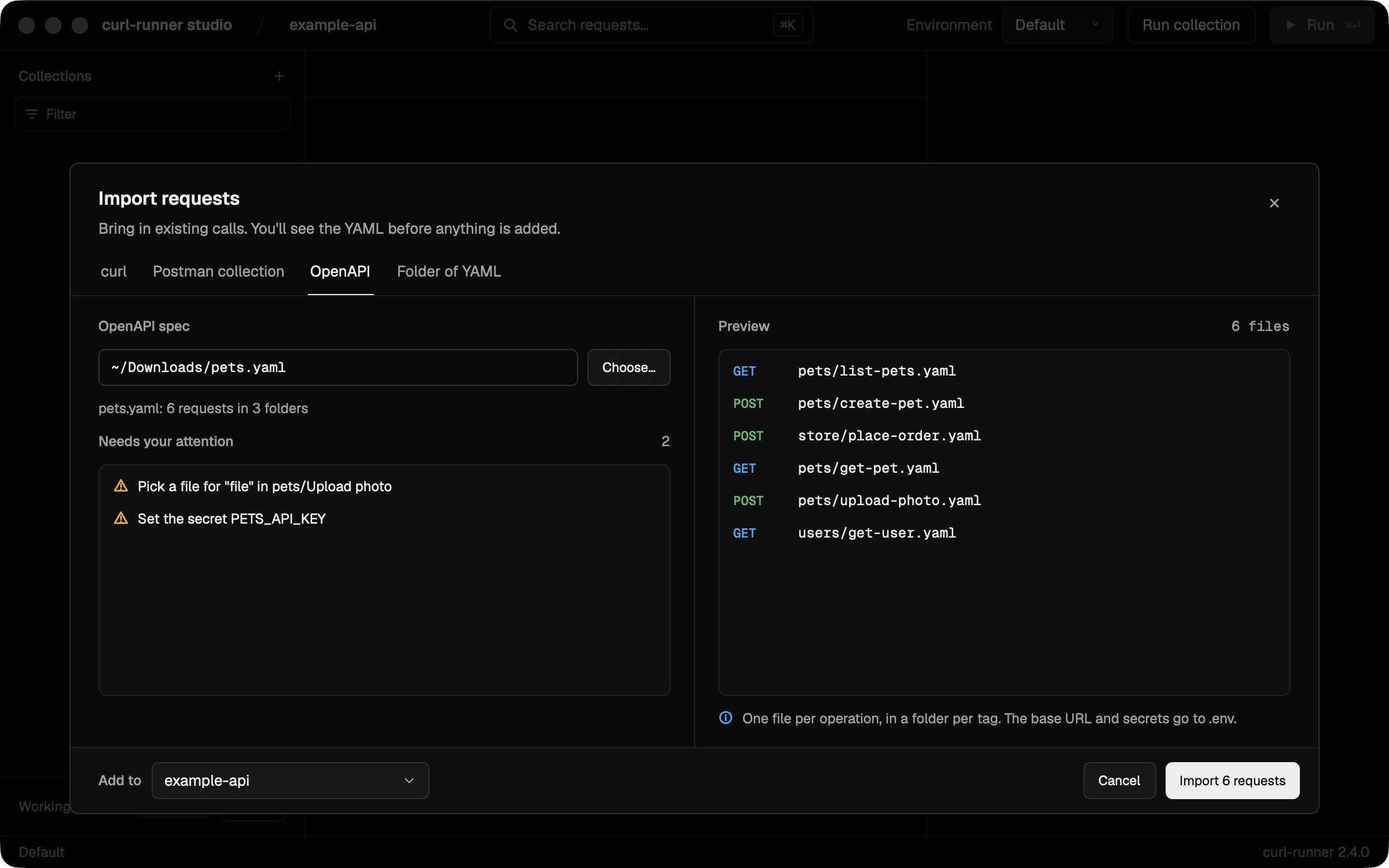
Preview a spec before you importPick an OpenAPI or Swagger file. The preview lists one file per operation and what needs your attention, before anything is written. 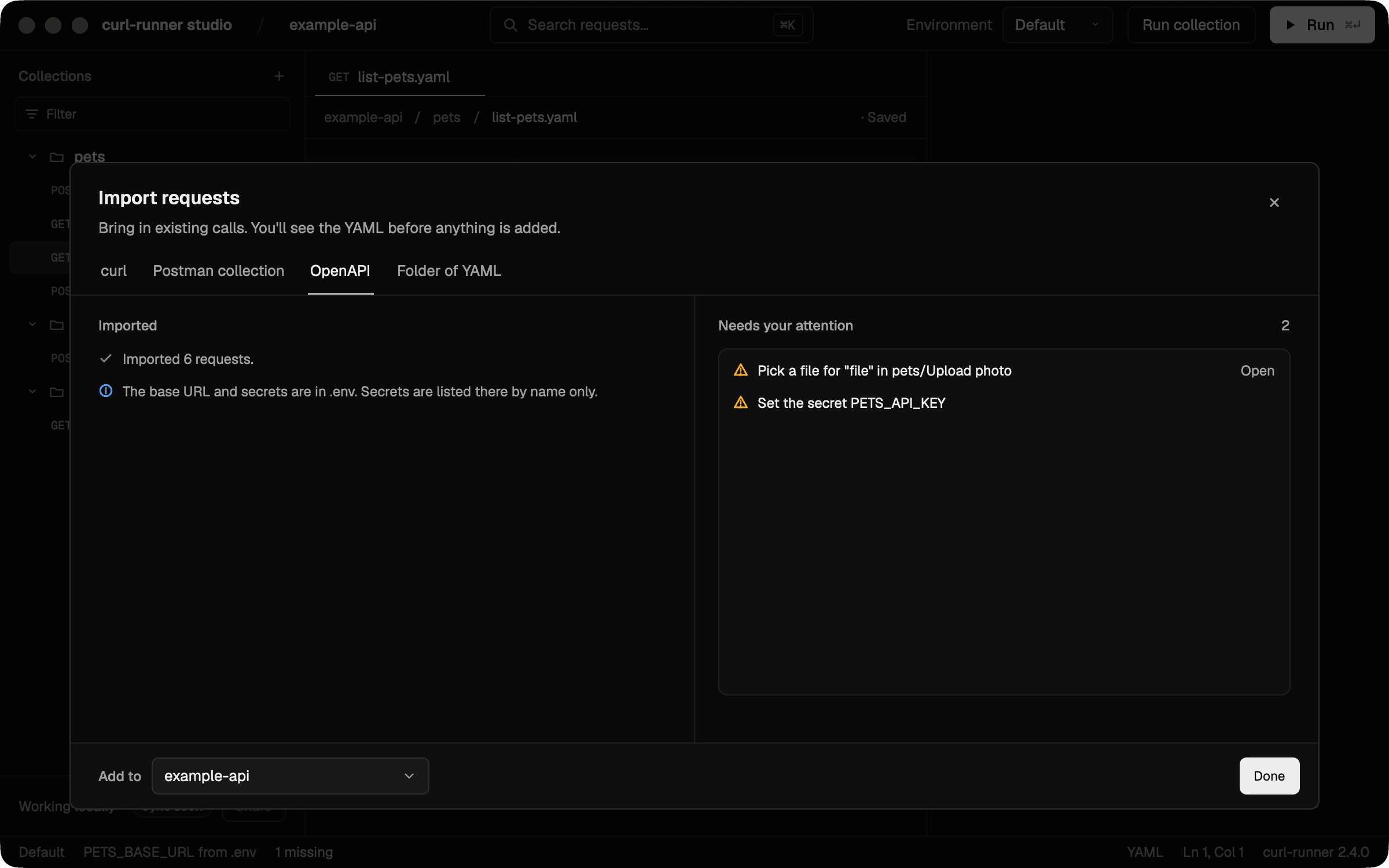
Finish what the import leftThe summary lists what still needs you. Open goes straight to the request with a file to pick.
Plain YAML underneath
Each operation becomes a file like this one. The CLI, CI and the studio run it as it is.
pets/list-pets.yaml
# Imported from OpenAPI: Pets
# operationId: listPets
# Everything about pets.

request:
  name: List pets
  method: GET
  url: ${PETS_BASE_URL}/pets
  headers:
    X-API-Key: ${PETS_API_KEY}
  params:
    # # How many pets to return.
    # limit: "1"
  expect:
    status: 200
Benefits
One file per operation
Each tag becomes a folder and each operation its own YAML file, with sample values taken from the spec.
A smoke test from the start
Each request checks the lowest documented 2xx status, so the folder works as a smoke test before you change anything.
Secrets stay out of files
Secrets are listed by name in .env and set in .env.local. Set them in Environments in the studio and they go to the macOS Keychain. A short list shows what still needs your attention.
Good for
- Smoke-testing an API from its spec
- Starting a test suite for an API you did not write
- Keeping API requests in your repo, next to the code
- Regenerating into a fresh folder when the spec changes