Postman Import
Bring your Postman collection, keep plain YAML.
Turn a Postman collection into curl-runner YAML with one command or in the studio. You get a file per request and a .env. Secrets stay out of files.
Screenshots
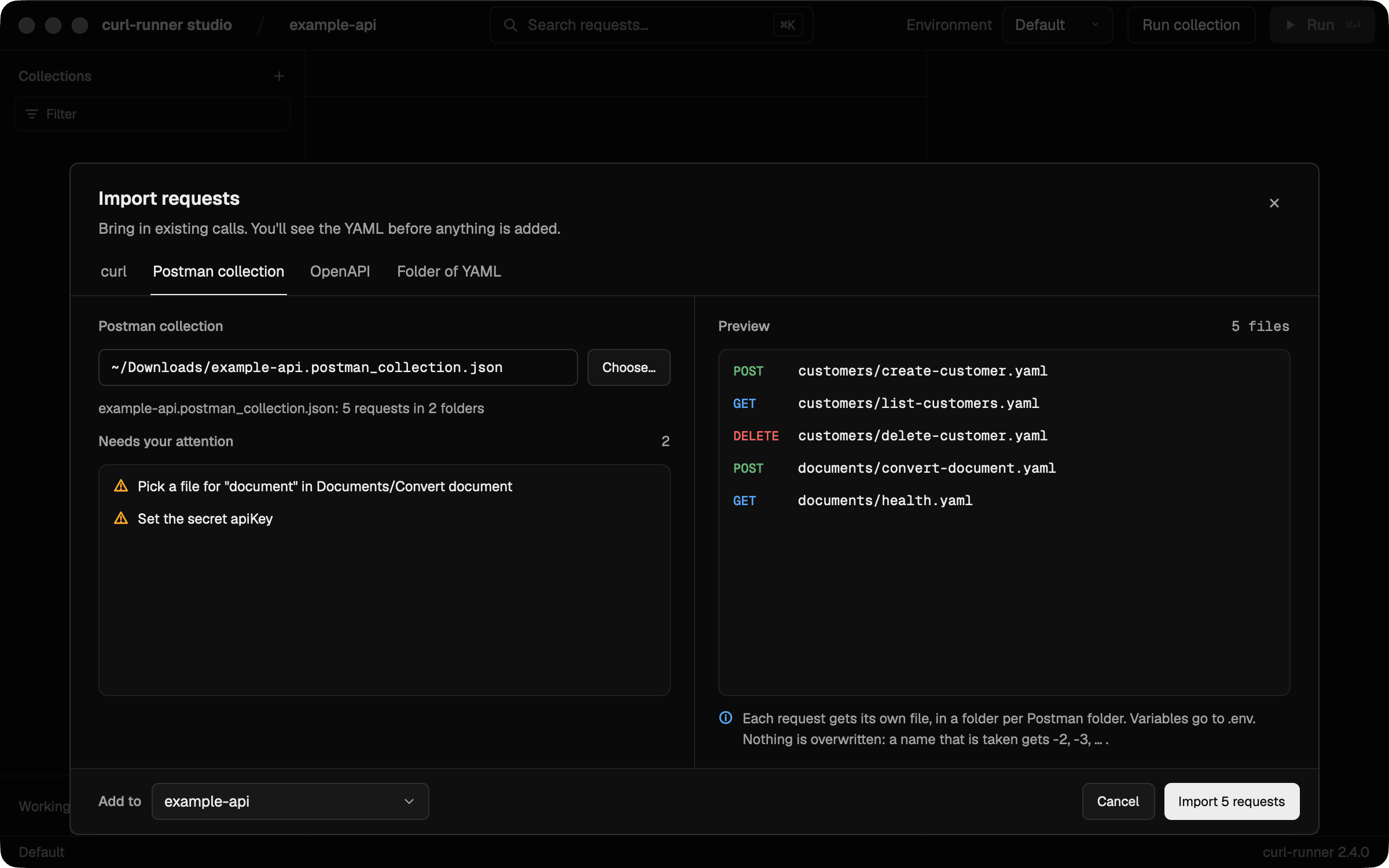
See every file before you importPick a collection exported from Postman. The preview lists the request files you get and what needs your attention, before anything is written. 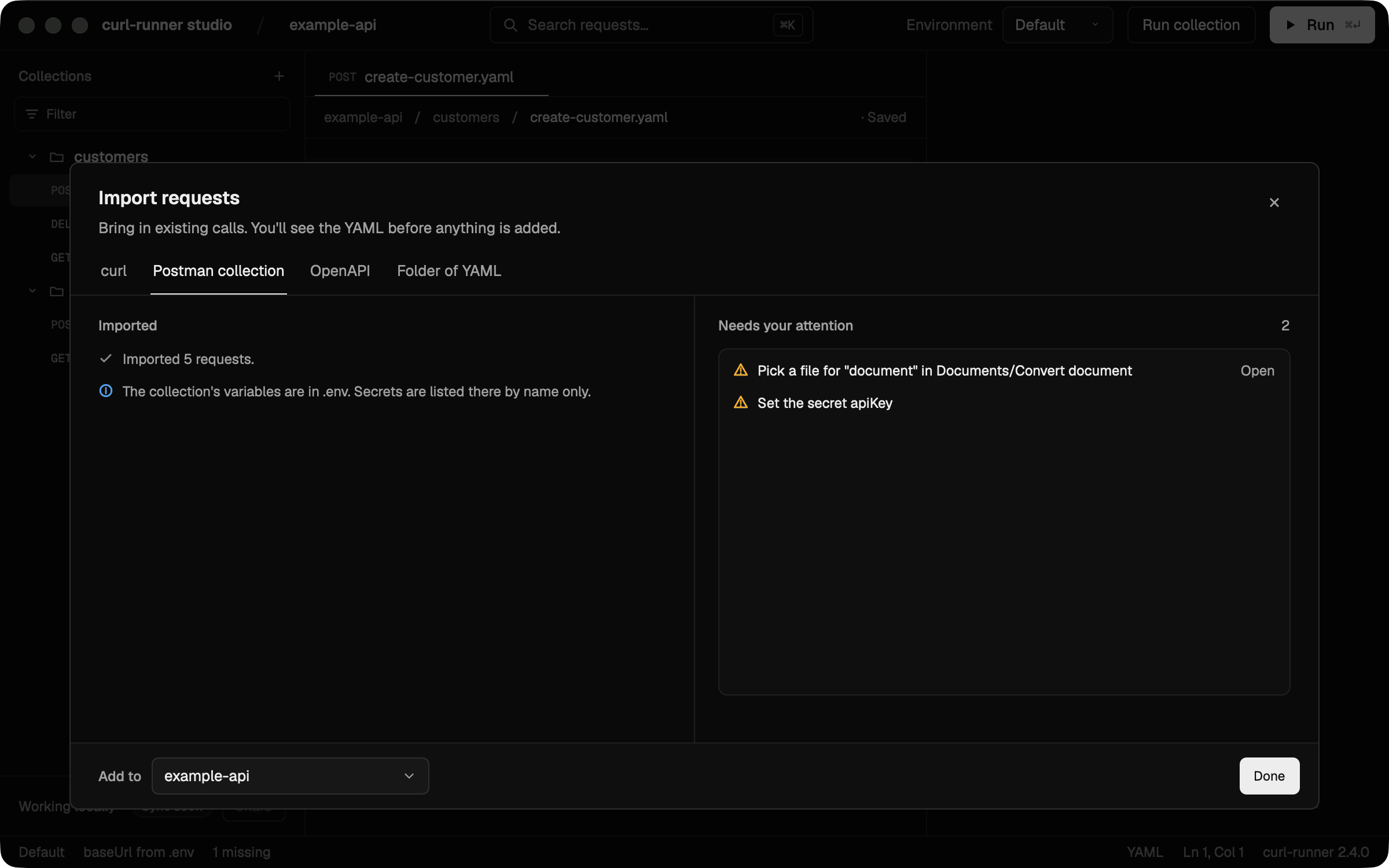
Finish what the import leftThe summary lists what still needs you. Open goes straight to the request with a file to pick.
Plain YAML underneath
Each request becomes a file like this one. The CLI, CI and the studio run it as it is.
customers/list-customers.yaml
# Imported from Postman: Example API
# Lists customers, newest first.

request:
  name: List customers
  method: GET
  url: ${baseUrl}/v1/customers
  headers:
    X-Api-Key: ${apiKey}
  params:
    limit: "10"
    # starting_after: cus_1
Benefits
One file per request
Each Postman folder becomes a folder and each request its own YAML file, so a change shows up as a small diff in a pull request.
Optional fields stay optional
A header, param or form field you turned off in Postman comes in commented out. Uncomment it to switch it on.
Secrets stay out of files
The CLI asks you to set secrets in .env.local, and the studio saves them to the macOS Keychain. Both list what still needs your attention.
Good for
- Moving a team off Postman
- Reviewing API changes in pull requests
- Running a shared collection in CI
- Regenerating YAML from a collection your build generates