curl-runner studio is a macOS app that opens your curl-runner YAML files and runs them. It's out today as a preview, signed and notarized, for Apple silicon and Intel. You can download it or install it with Homebrew:
brew install --cask alexvcasillas/tap/curl-runner-studioIt works fully on your local files. Sync and sharing aren't in yet, and the app says so instead of pretending.
Why a desktop app for YAML files?
I like the terminal. Most of my curl-runner runs happen in CI, and I'll keep it that way. But some jobs are just nicer with a window.
Writing a new request is one of them. You type, run it, look at the response, change an expect line and run it again. In a terminal that's a lot of scrolling through JSON. Debugging a failed check is another: you want the expected value, the actual value and the response body side by side, not three screens apart.
The GUI clients I tried all want your requests in their own format. You import a collection, it lives in their database or their cloud, and the copy in your repo starts drifting the same day. Then CI runs one version and your teammate clicks through another.
The studio doesn't have its own format. A collection is a folder of the YAML files you already have, and the studio reads and writes those files. Save a request and git diff shows exactly what changed. The file you just ran in the app is the file curl-runner runs in your pipeline.
What's in the preview
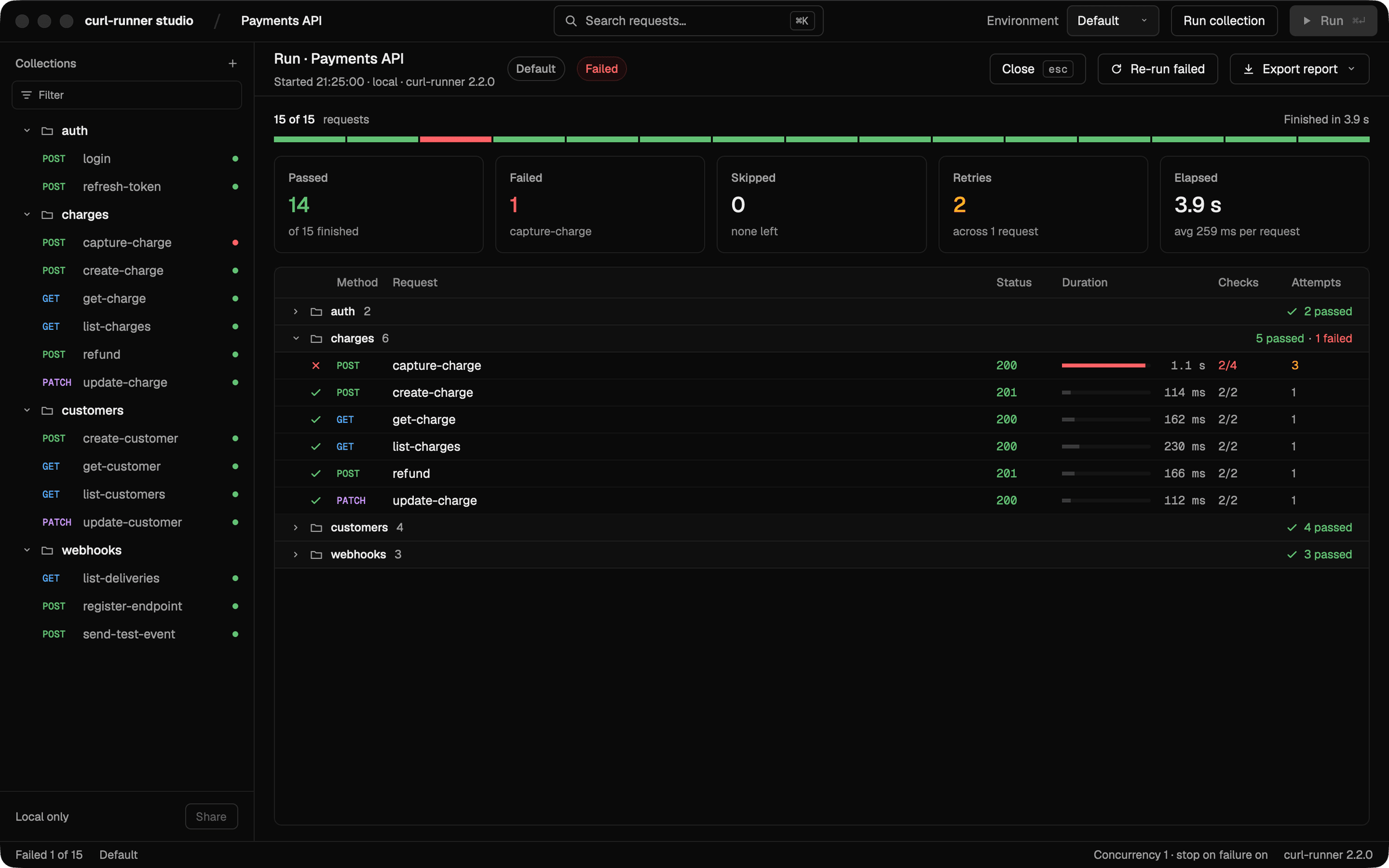
Collections are folders. Open a folder and its subfolders become groups in the sidebar. Run a single request with ⌘↩, or the whole collection from Run collection. The run screen counts passed, failed, skipped and retried requests. Re-run failed runs only the failures again, which is the button I press most.
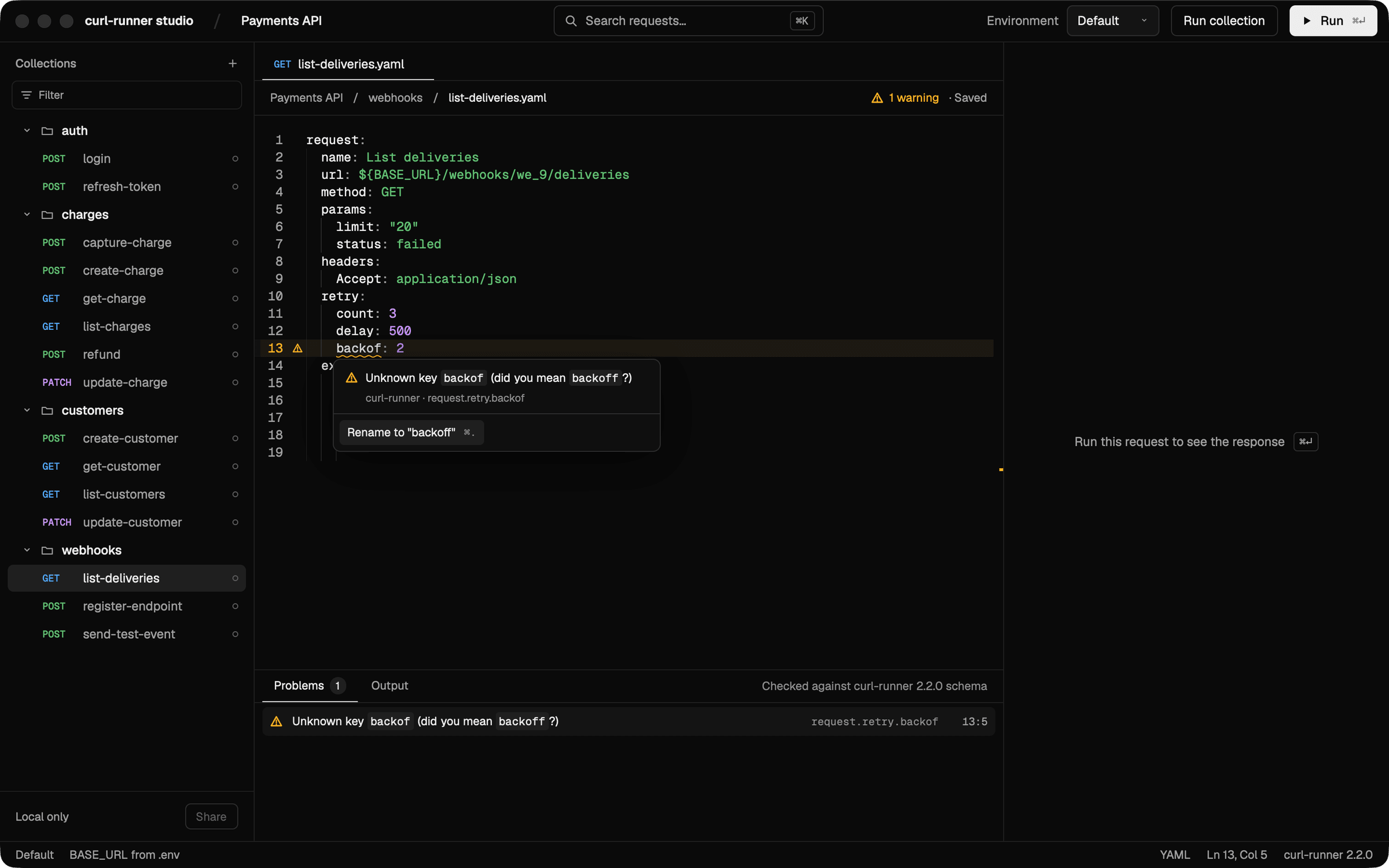
The editor validates as you type. It runs the same rules as curl-runner validate, so a typo shows up before you run anything, not in CI ten minutes later. Many problems come with a quick fix. Type backof and it offers to rename it to backoff.
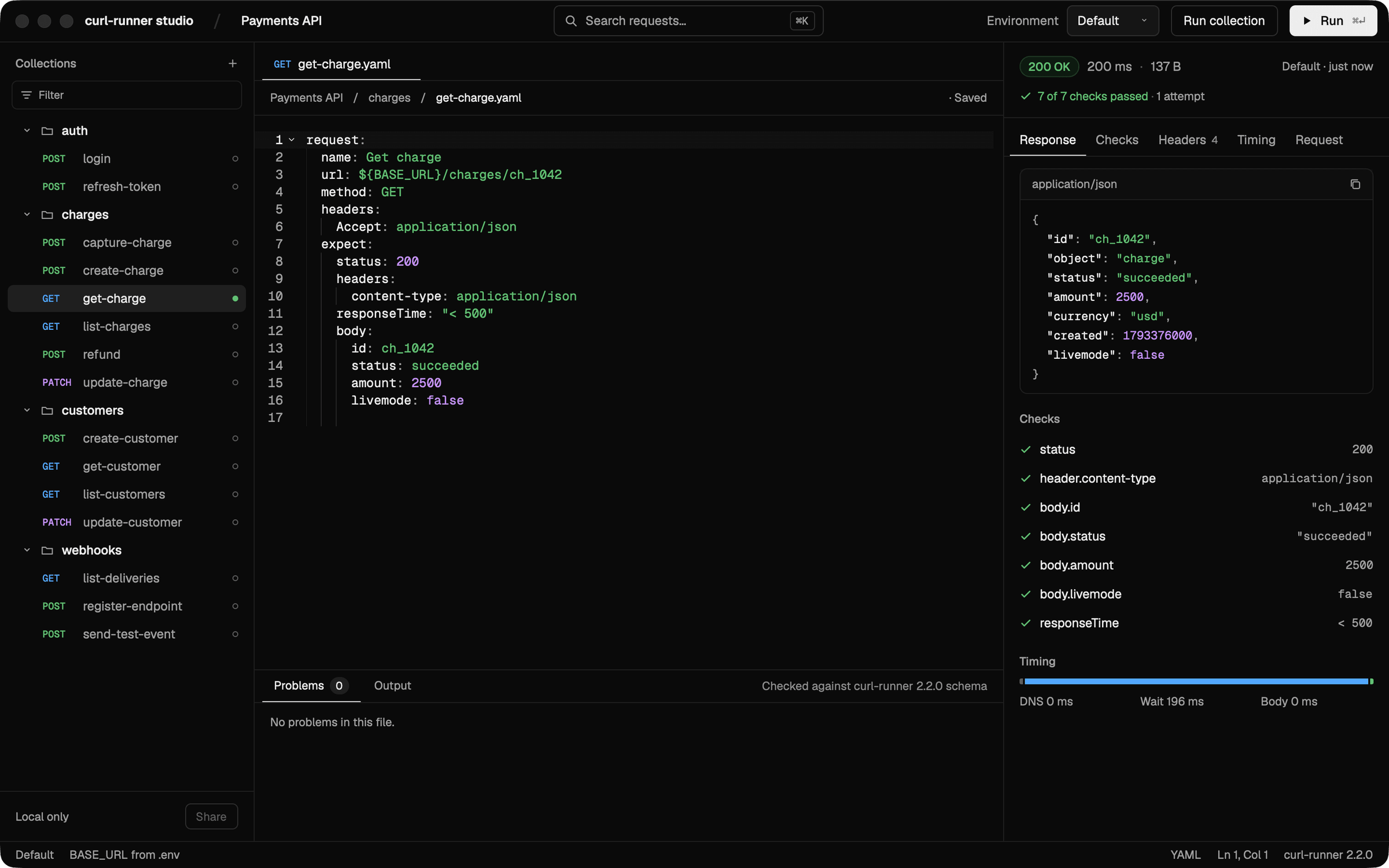
The inspector shows the response next to the YAML. Body, headers, timing, and every check from the expect block, each one next to the line that asked for it.
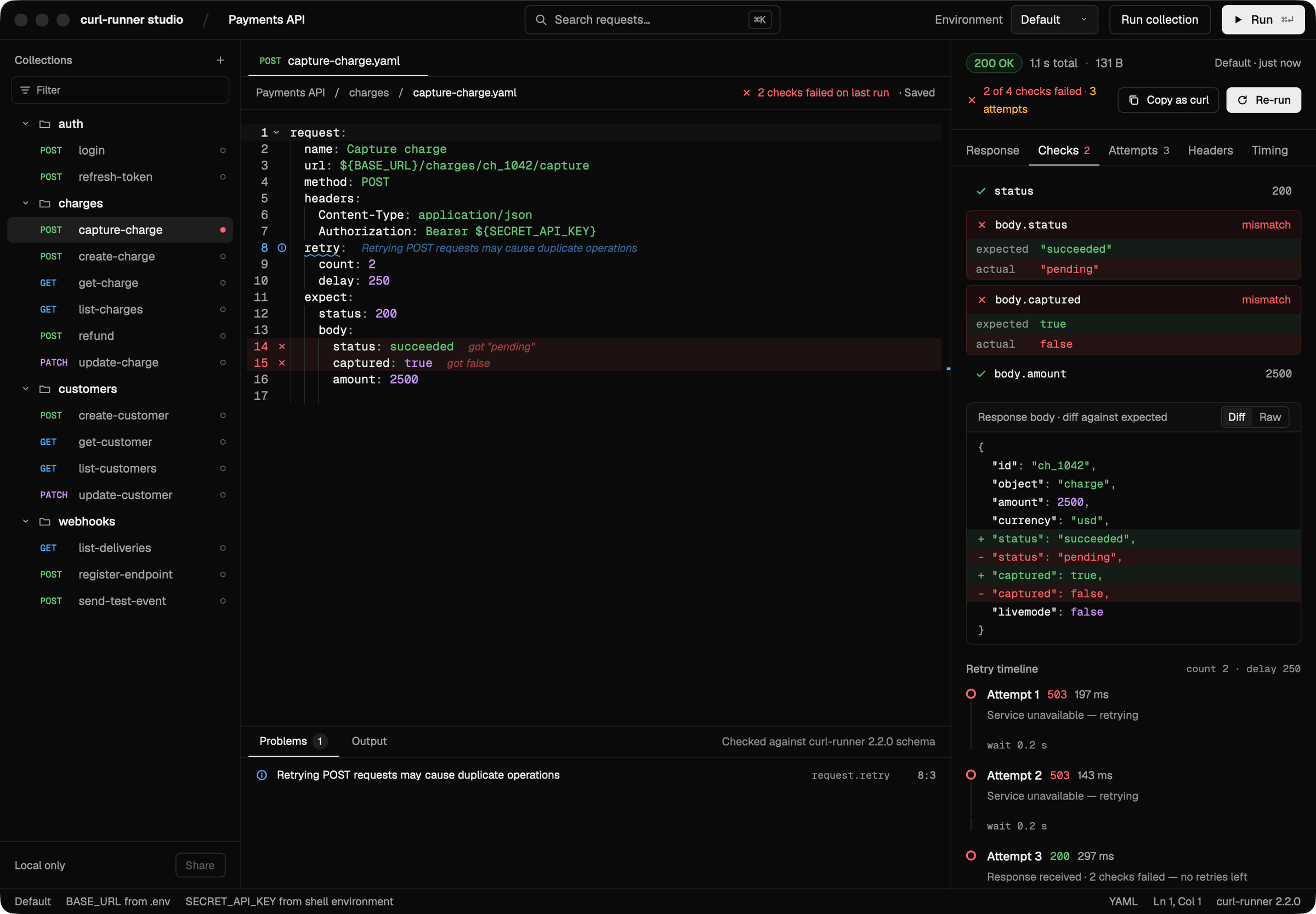
A failed check tells you why. You get the expected and the actual value, a diff of the response body and, if the request retried, every attempt with its status code and how long it waited. A 503, another 503 and then a 200 with the wrong body is a very different bug from a plain 500, and now you can see which one you have.
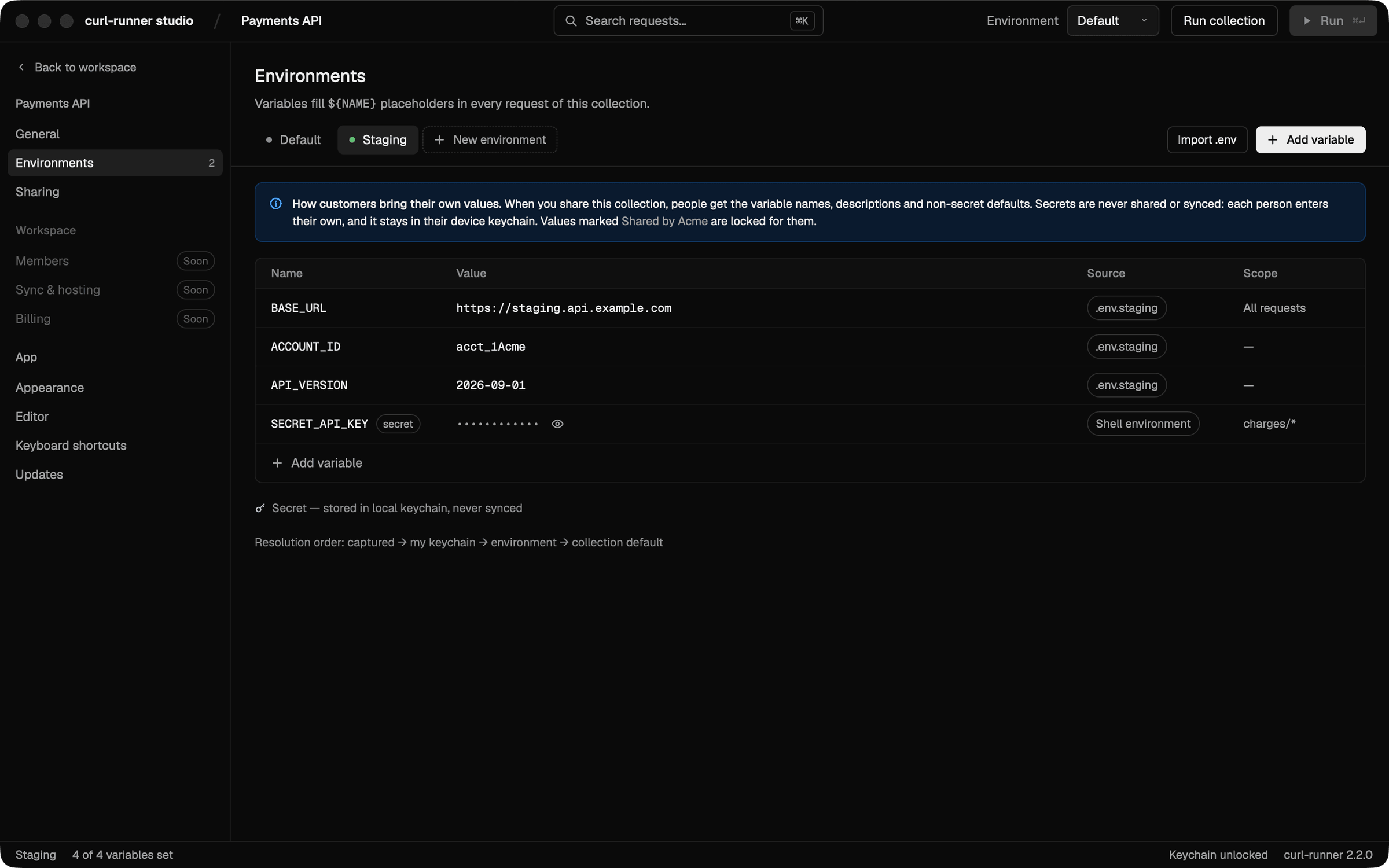
Environments are your .env files. Default reads .env, and Staging reads .env.staging on top of it. Variables named SECRET_* are masked. Secrets you type in the studio go to the macOS Keychain, not to the file, so they never end up in a commit.
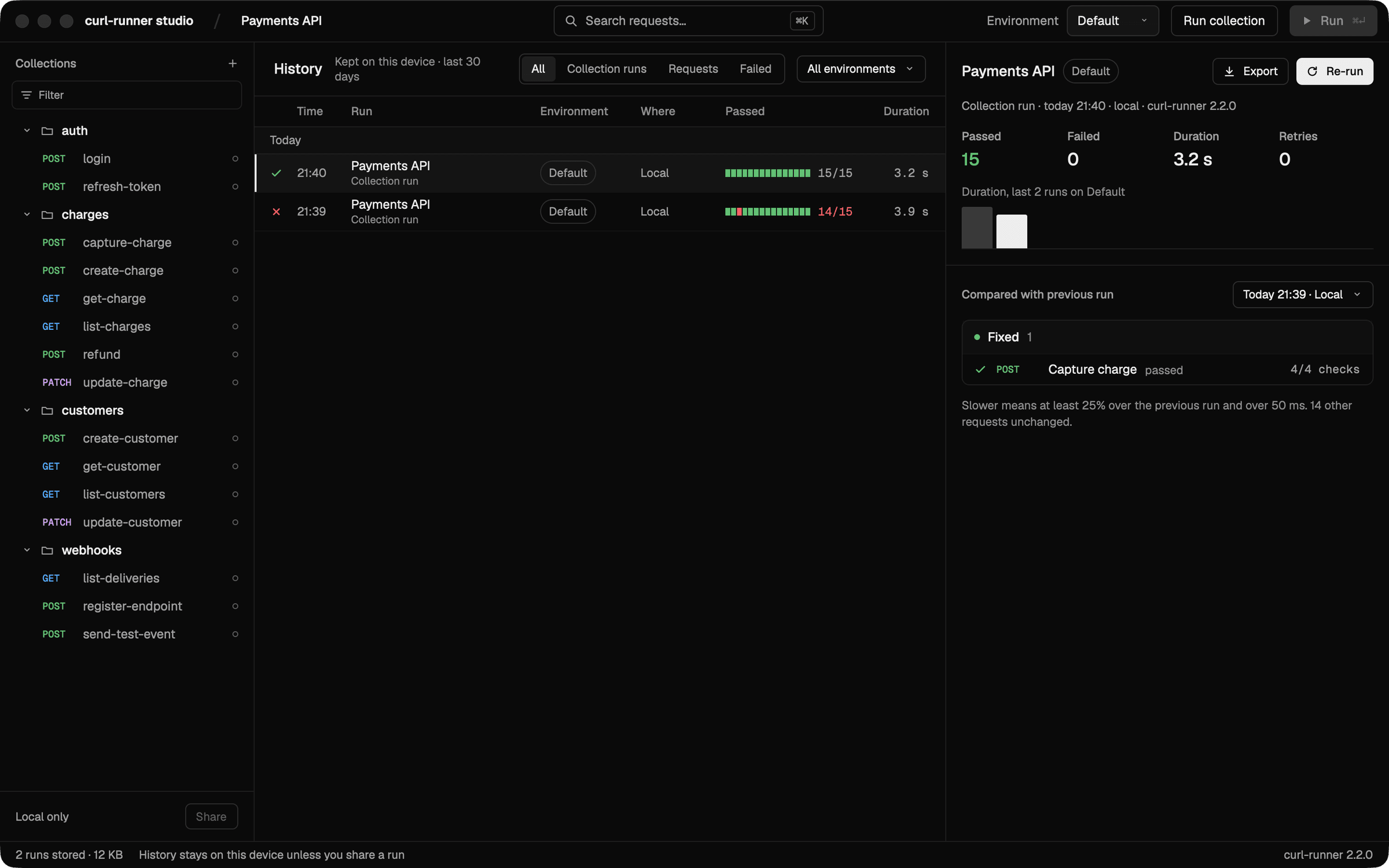
History compares each run with the one before. Runs stay on your Mac for 30 days. Open one (⌘Y) and you see what it fixed, what it broke and what got slower. That's usually the question after a deploy anyway: what changed since last time?
There are a few smaller things I use every day:
⌘Iimports curl commands. Paste one from your browser's dev tools or from an API's docs and you get a YAML request. The host becomes${BASE_URL}, and tokens move out of the file into variables.⌘Kopens the command palette, so you rarely need the mouse.- Copy CLI command on a run gives you the exact
curl-runnercommand for it, environment included, ready for a terminal or a CI step. - A run exports as JSON, JUnit XML or Markdown.
Your first request
On first launch, choose Get started. Welcome offers Run your first request, a short walkthrough. It creates ~/curl-runner/getting-started/health.yaml, a request to our own server at https://api.curl-runner.com/health, and runs it. If it fails, it says why in plain words instead of showing a red badge. With no network, for example, you get "Couldn't reach api.curl-runner.com. Check your connection and try again."
Once that passes, point it at one of your own APIs. That's the real test. You can replay the walkthrough any time from Help › Walkthrough.
Why "preview"
Everything you can see in the app works. A few things you can't see yet are already built, but they need a server, and that server is still tiny.
I could have shipped those screens with a "beta" label and let you find out what breaks. I'd rather not. In this release, anything that needs the server is either disabled and marked Coming soon, or hidden. You won't sign in to something that goes nowhere or create a share link nobody can open.
What's coming
Here's what I'm working on next, roughly in this order:
- Accounts, with GitHub sign-in only. No passwords to create or forget.
- Sync. Your collections on every Mac you use. Secrets stay in each Mac's Keychain and are never synced.
- Sharing. Send a teammate a link to a collection and they get a copy they can run.
- Postman and OpenAPI import. The Import dialog already has the tabs, marked Coming soon.
- Self-hosting. The curl-runner server is a small Rust service in a Docker image. It's already live at
api.curl-runner.com, and that's what the walkthrough calls. When sync and sharing land, you'll be able to run the same image on your own infrastructure. The self-hosting docs cover what exists today.
The studio is macOS only for now. Updates come through brew upgrade --cask curl-runner-studio or a new download from the downloads page.
Try it
Download the studio, open the folder where your curl-runner tests live and run them. If you don't have any yet, the walkthrough gets you a first one in a minute, and the quick start covers the rest.
It's a preview, so if something feels off or a screen confuses you, I'd like to hear about it. Open an issue on GitHub and tell me what you were trying to do 🙂